Photo Delivery
The Fastest Way to Share and Select Wedding Photos with Clients Online
The fastest way to share wedding photos with clients is one private gallery link: no drives, no file-name lists, no hundred-message threads. Clients open the link in a browser, mark favourites function by function, and submit — which locks the approved set for editing, delivery or the album. Here is how that compares to every slower method, and the exact setup that makes it work.
By Smart Photo Selection TeamUpdated 4 min readIn Photo Delivery
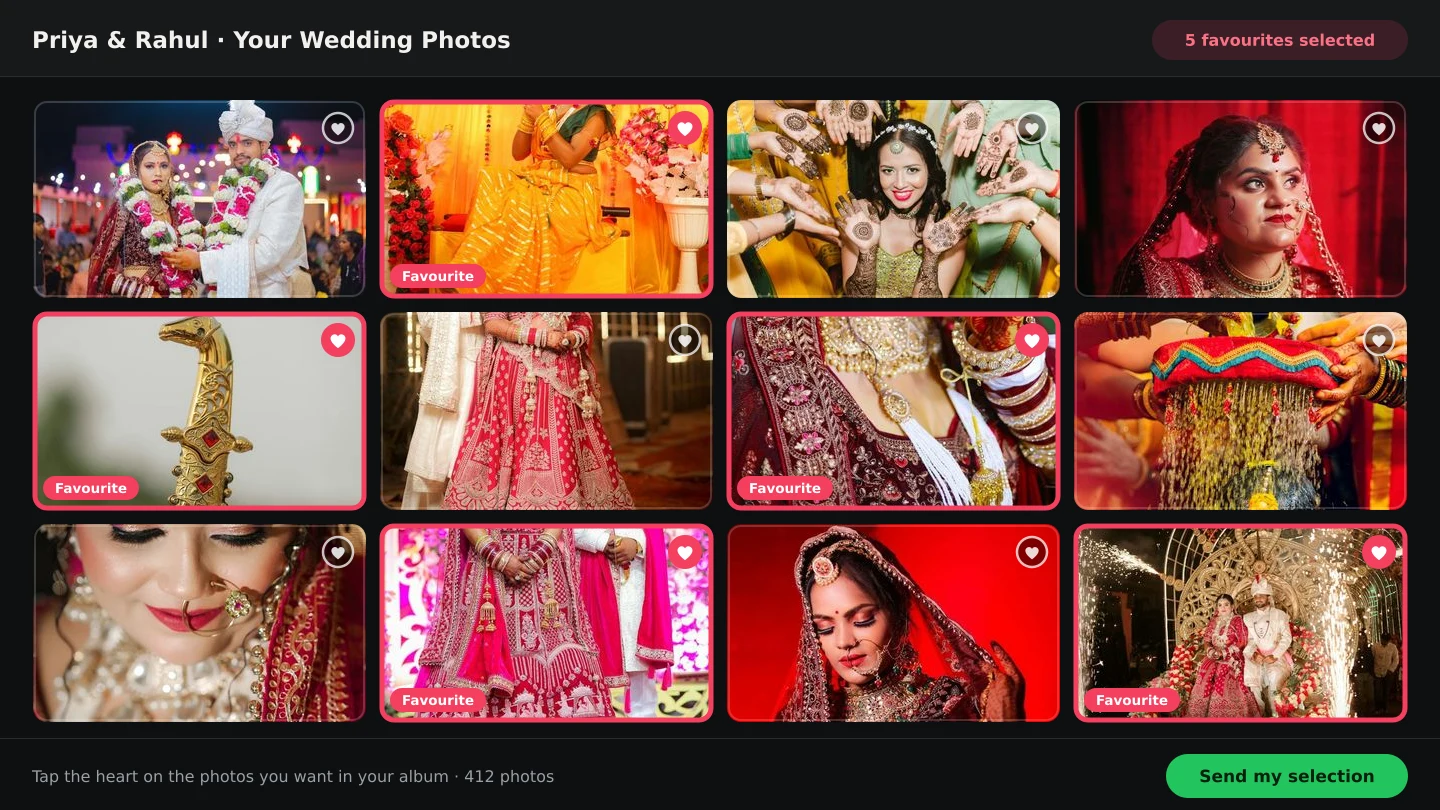
What “fast” actually means here
Speed in wedding photo selection is not upload speed — it is calendar time from shoot to locked, approved set. The slow part is never the transfer; it is the back-and-forth: clients who cannot open your files, screenshots of thumbnails over chat, selections that arrive as voice notes, and the rework when nobody is sure what was agreed. The method below removes all of that at once.
Every common sharing method, ranked by speed
| Method | Typical time | Why it drags |
|---|---|---|
| Pen drive / hard disk handover | 2–4 weeks | Physical meeting, client scrolls everything, choices trickle back |
| Drive / cloud folder link | 1–3 weeks | Clients can't mark choices in a folder; selections arrive as file-name lists |
| WhatsApp / Telegram albums | 1–2 weeks | Compressed previews, no structure, decisions scattered across chats |
| In-person projector session | 3–7 days to schedule… plus hours | One sitting, family disagreements live, no record of what was picked |
| Online photo selection software (gallery link) | 2–5 days | One client gallery link: favourites marked in-browser, submit locks the set |
The gallery link wins because the selection happens where the photos live, in a format anyone can use. For the complete start-to-finish flow, see the client photo selection workflow.
The setup: one link, five steps
- 1
Upload once, into folders
Bulk-upload the shoot into the booking with one folder per function — haldi, mehndi, wedding, reception. Background uploads with retry mean a 2,000-photo wedding lands without babysitting. See uploading and organising event photos.
- 2
Cull before you share
Remove test shots, blinks and near-identical bursts first — clients choose faster from 1,200 good frames than 2,000 raw ones. Use the two-pass selection method, with AI scoring the repetitive first look.
- 3
Share one client gallery link
Send a single private link (or QR code) for the booking — over WhatsApp is fine. No account, no app install, works in any phone browser. This is the heart of online photo selection.
- 4
Let them choose function by function
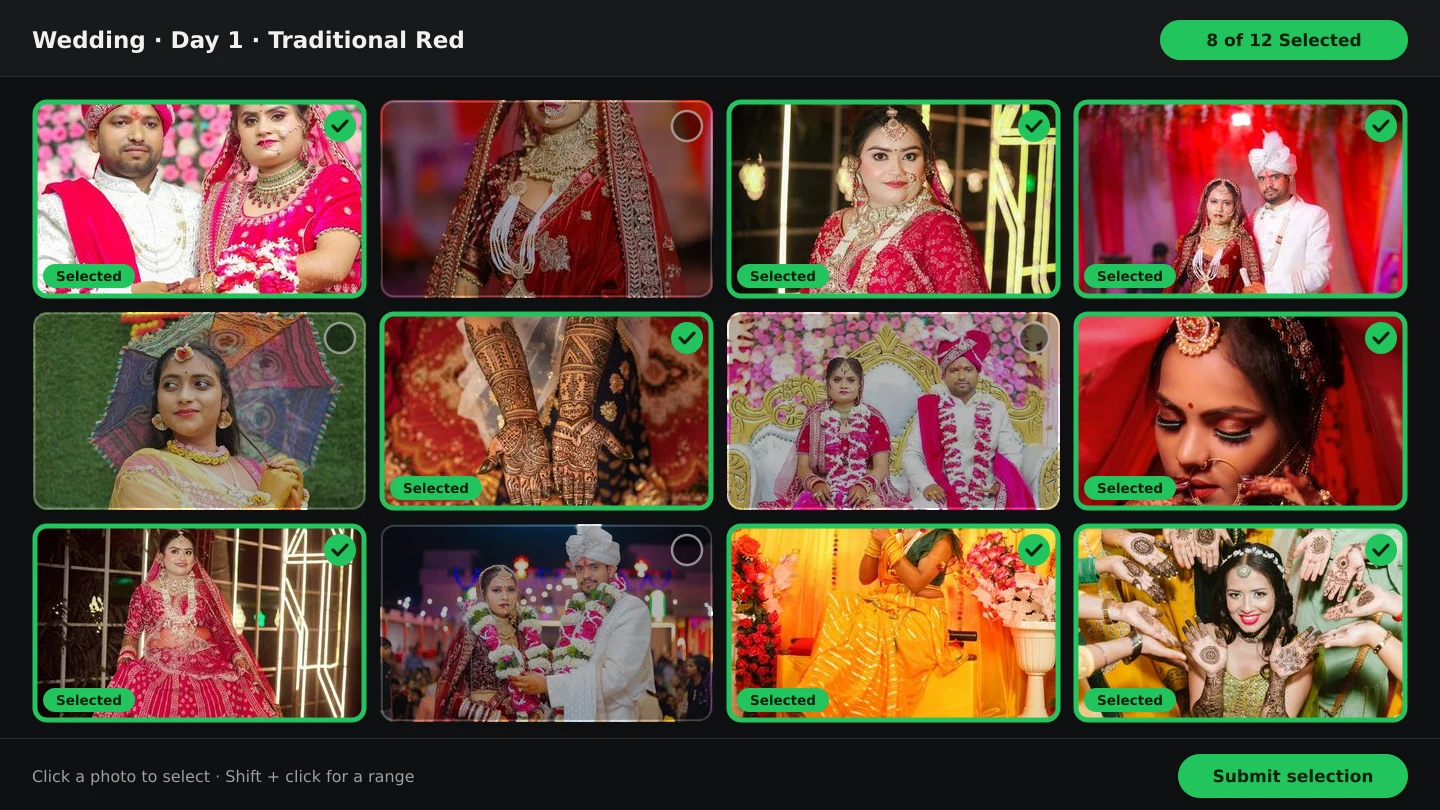
Clients filter by folder and mark every photo Selected or Not selected, with Select All per view and a live count. Couples usually finish one function per sitting instead of facing one endless wall.
- 5
Submission locks the set
The client hits submit; selection freezes and you download exactly the chosen photos as a ZIP. That locked set feeds editing, delivery and the album — see from selected photos to finished album.
Three rules that keep it fast
1. Never ask clients to type file names
IMG_4829 lists feel efficient and fail reliably — one typo and the wrong frame gets edited. In-gallery marking makes the choice itself the record. If you still receive selections by chat, see sending photos to clients for selection for the migration path.
2. Give a deadline with the link
“Choose at your pace” means never. “Please submit by Sunday so editing starts Monday” works — the gallery shows a live count, so clients can see how close they are to done.
3. Keep guests out of the client's gallery
Extended family browsing the couple's proofing gallery slows every decision. Guests get the face scan photo finder on the same booking — their own photos, no scrolling, no opinions on the couple's shortlist.
What the locked set unlocks
- Editing starts the same day. Retouchers get an exact file list — see natural skin retouching.
- Delivery is one handover. Delivering wedding photos faster starts from the same ZIP.
- The album starts settled. The AI album generator designs from the approved set, so no spread is ever redone for a late cut.
online photo selection softwareclient gallery linkwedding photo selectionphoto delivery
Frequently Asked Questions
Do clients need an account or app to select photos?
No. They open the client gallery link in any phone or desktop browser, mark favourites and submit. Nothing to install, nothing to learn.
How long does online selection usually take?
Most couples finish a full wedding in 2–5 days when photos are organised by function and they get a clear deadline. Unorganised dumps take weeks regardless of the tool.
What if the client selects too few — or everything?
The live count keeps them honest while choosing. After submission the set is locked, so agree the target range (for example 300–400 from 2,000) before you share the link.
Can family members vote on photos too?
Keep the proofing gallery for the decision-makers. Share the face scan link with everyone else so guests find their own photos without slowing the couple down.
What format do I receive the selection in?
A ZIP of exactly the submitted photos, ready for editing, delivery or album design — no file-name lists to reconcile.
Related Articles
- The Client Photo Selection Workflow, Start to FinishHow client photo selection works online: share a gallery, let the client mark favourites, lock the set on submission and download exactly what they chose.
- How to Select the Best Wedding Photos FasterA practical method for choosing the best photos from a large wedding shoot: two passes, folders per function, AI help and a locked client choice.
- How to Deliver Wedding Photos FasterShorten the gap between the wedding and the final handover: background uploads, an early cull, online selection, one gallery link and ZIP delivery.
Step-by-Step Guides
- How to Send Photos to Clients for SelectionHand a gallery to the couple for photo selection: share the link or QR, let them mark frames with Done, then submit so the agreed set is locked for delivery.
- How to Cull Photos Before SelectionCull the raw shoot in Smart Photo Selection: review folders at full size, remove blinks, blurs and test frames, and keep the client's view clean before selection.
- How to Manage and Deliver Photo GalleriesRun a booking's gallery end to end: downloads, private mode, sharing by link or QR, ZIP delivery of the selected set and the photo period that governs expiry.
Related Features
Design Your Next Album in Smart Photo Selection
Generate spreads from a booking's photos, refine them in the layer-based editor and export print-ready files.