
Smart Photo SelectionSmart Photo Selection
    HomeRent Houses & Photo StudiosEvent Items
    Smart Photo SelectionSmart Photo Selection
    Sign In
    Smart Photo SelectionSmart Photo Selection

    Built with ❤️ for memorable celebrations. Smart Photo Selection — AI photo selection for photographers.

    Terms & Conditions•Privacy Policy•Cancellations & Refunds•Shipping Policy•Contact Us

    © 2026 Smart Photo Selection. All rights reserved.

    Skip to content
    Smart Photo SelectionSmart Photo Selection
    • Photo Selection
    • Face Scan
    • Templates
    • For Photographers
    LoginGet Started
    1. Home
    2. 12 × 30 Wedding Album

    Album size

    12 × 30 Wedding Album Design & Templates

    A 12 × 30 in spread is 12 inches tall and 30 inches wide: two 12 × 15 in pages side by side, with a 2.5 : 1 ratio. It is six inches narrower than a 12 × 36 spread, and some labs offer it as an alternative to the usual size.

    12 × 30 is a custom size rather than a fixed pixel layout. Templates are composed for its ratio instead of being stretched from a 12 × 36 design, and the AI generator designs for it directly.
    Create Your AlbumBrowse Templates
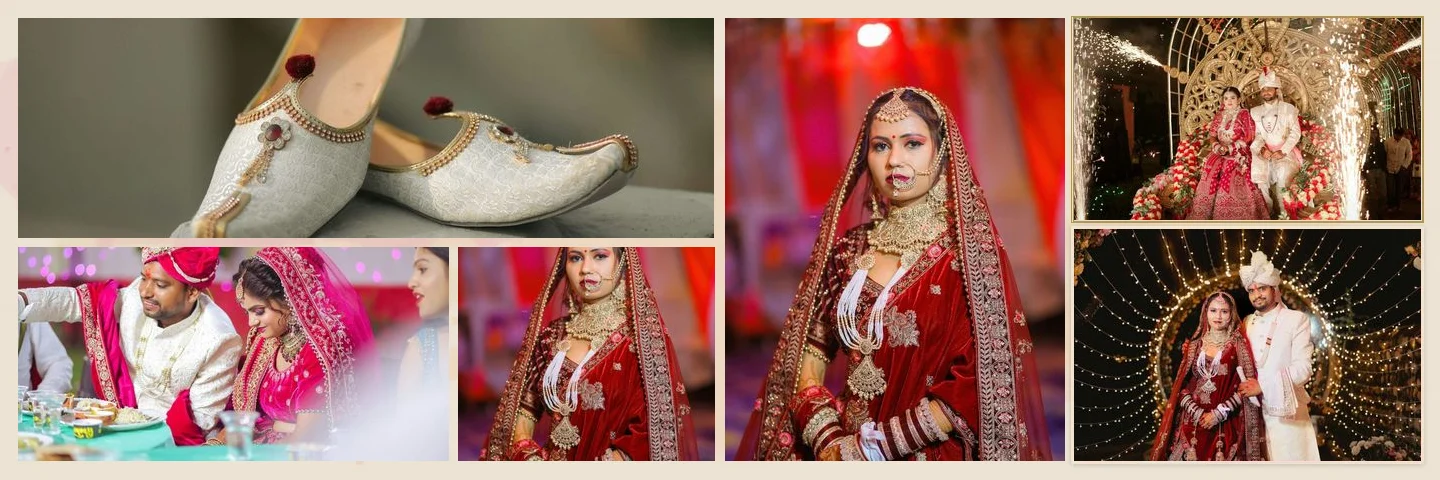
    12 × 30 wedding album spread with six photos
    12 × 30 in

    Sample layouts are shown with licensed sample wedding photos; your own photos take their place.

    The size

    What 12 × 30 in Means Physically

    The measurement describes the open spread — the way a lab writes it on a spec sheet.

    • A spread, not a page

      12 × 30 in is the open sheet: two 12 × 15 in pages side by side, 12 in tall.

    • A 2.5 : 1 ratio

      30 ÷ 12 = 2.5, so the spread is two and a half times as wide as it is tall. A 12 × 36 spread is 3 : 1.

    • The same page height

      Both sizes are 12 in tall, so a photo tall enough for a 12 × 36 album is tall enough here.

    • A centre fold

      The two pages meet in the middle; landscape spreads fold there automatically when the album is created.

    • A narrower closed album

      The closed book is 15 in wide instead of the 18 in of a 12 × 36 album.

    • The lab decides

      Ask for the lab's written size and resolution before you start — the size is set when the album is created.

    12 × 30 Album Pixel Dimensions

    The pixel size depends on the print resolution. Check your lab's preferred resolution before you start.

    • 300 DPI

      9,000 × 3,600 px

    • Each page at 300 DPI

      12 × 15 in — half the width of the spread, at the same height.

    • Lower resolutions

      Some labs accept 240 or 200 DPI. Pixels scale with the resolution your lab specifies.

    Setting it up

    How to Set the 12 × 30 Size

    The size is entered when the album is created, so every sheet is built at 12 × 30 in from the start.

    1. 01

      Choose the album size

      12 × 30 in is offered alongside 12 × 36 and 14 × 40. For another lab size, choose Custom Size and enter the width, height and DPI.

    2. 02

      Templates re-compose

      Margins and gaps stay in inches and the slots are re-arranged for the 2.5 : 1 ratio instead of being squeezed out of a 12 × 36 layout.

    3. 03

      A warning when the ratio is far out

      Below 1.2 : 1 a sheet is treated as a single page with no fold, and above 4 : 1 the layout may need manual adjustment. At 2.5 : 1 neither applies.

    4. 04

      Generate or fill by hand

      Let the AI generator design the spreads at 12 × 30 in, or open a template and place the photos yourself.

    Choosing a size

    When to Choose 12 × 30 Instead of 12 × 36

    • Your lab offers it

      Some labs list 12 × 30 in beside sizes such as 12 × 24 or 10 × 30 in. Use the size in your lab's spec.

    • A narrower spread

      2.5 : 1 instead of 3 : 1: six inches less width per spread, so the closed album is 15 in wide rather than 18 in.

    • The same photos

      Full-height frames need the same resolution as at 12 × 36, since both formats are 12 in tall.

    • Layouts laid out again

      Each design is composed for the narrower ratio instead of being cropped or stretched from the 12 × 36 version.

    Photo Count, Resolution and the Centre Fold

    A spread at 12 × 30 in holds slightly less width per sheet than 12 × 36, so plan the photo count with that in mind.

    • 5 to 10 photos per spread

      Library templates hold between 5 and 10 photos. The AI generator can place more when you set an exact number per sheet.

    • Full-height photo resolution

      A photo filling the full 12 in page height needs 3,600 px on that side at 300 ppi. Photos printing below 200 ppi in their slot are flagged.

    • Nothing across the fold

      Photos and text may not cross the centre fold. Anything dragged across is moved onto one page, and export is blocked until the layout is fixed.

    • Keep faces off the middle

      Lay-flat and traditional bindings both hide some of the gutter, so keep faces a little away from where the pages meet.
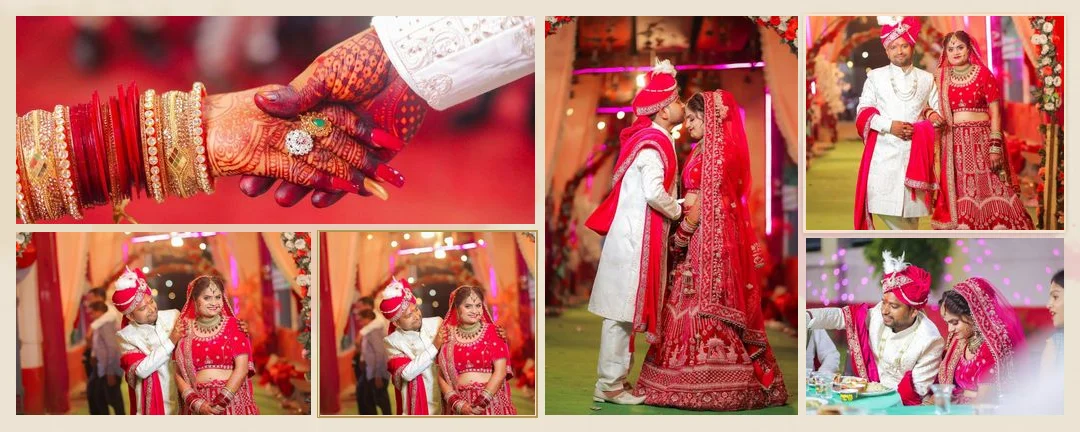
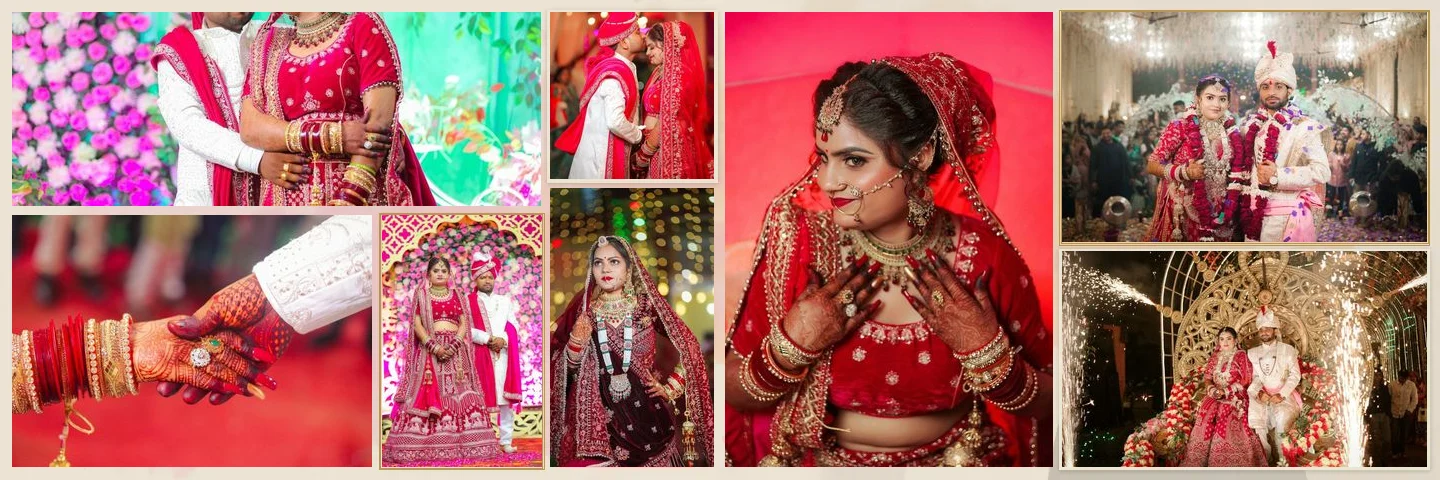
    • 12 × 30 wedding album template layout
      12 × 30 in
    • Eight-photo wedding album spread
      8 photos
    • Ten-photo wedding album spread
      10 photos

    Export and print

    Exporting a 12 × 30 Album for Print

    • JPG, PNG or PSD

      Sheets export at the full size with DPI set, as JPG or PNG, or as a layered PSD for finishing in another editor.

    • Print guides

      View › Print guides shows the trim (0.125 in) and the safe area (0.375 in); keep faces and text inside the safe area.

    • Confirm before ordering

      With nothing selected, the Properties tab shows the album size, canvas and resolution. Compare them with the lab's spec.

    • Bleed is the lab's call

      No bleed is added automatically: if the lab wants the size including bleed, enter the album size with the bleed included.

    Treat an exported sheet as a draft to check, not a final: open it at full size, read the text and confirm the fold before you order prints.

    FAQ

    Common Questions

    Is 12 × 30 the page or the spread size?

    The spread. Each page is 12 × 15 in, and the two pages fold in the middle.

    What is the difference between 12 × 30 and 12 × 36?

    Both are 12 in tall, but a 12 × 30 spread is 6 in narrower: a 2.5 : 1 ratio instead of 3 : 1. Templates are laid out for each ratio rather than stretched between them.

    How many photos fit on a 12 × 30 spread?

    Library templates hold 5 to 10. The AI generator can place more when you set an exact number per sheet.

    Is 12 × 30 a custom size?

    It is one of the album size options, and any other lab size can be entered as a custom width, height and DPI. Templates are composed for the ratio you choose instead of being enlarged from another size.

    Can I use the same templates as for 12 × 36?

    Yes. Every library template supports 12 × 30 in and is composed for that ratio, so nothing is stretched.

    Which DPI should I use?

    300 DPI is the common choice and gives 9,000 × 3,600 px for a 12 × 30 spread; some labs accept 240 or 200. Use what your lab specifies.

    What file format should I export for print?

    JPG or PNG for a flat sheet, or a layered PSD if you want to finish the design in another editor.

    Explore the Rest of the Workflow

    • 12 × 36 Wedding Album DesignsPixel sizes, photo counts and templates for 12 × 36 in spreads.
    • 14 × 40 Wedding Album DesignsPixel sizes and layouts for the larger 14 × 40 in format.
    • Wedding Album Templates150 templates in 10 styles, laid out for your album size.
    • AI Album GeneratorDesigned wedding album spreads built from your selected photos.
    • Professional Wedding Album EditorLayers, crops, colour, text and exports for every sheet.
    • Wedding Album PSD TemplatesWhat a PSD needs, what is supported and what the PSD export contains.

    Design a 12 × 30 Wedding Album

    Set the album to 12 × 30 in, choose a template, or let AI compose the spreads at that size.

    Create Your Album
    Smart Photo SelectionSmart Photo Selection

    AI photo selection, face scan photo finding, online galleries and AI wedding albums for photographers, plus tent house and event item rentals.

    • WhatsApp
    • +91 63767 36945
    • [email protected]

    Album Studio

    • AI Album Generator
    • Professional Album Editor
    • Wedding Album Templates
    • PSD Album Automation
    • Wedding Album PSD
    • Double Exposure Albums
    • Photo Editor

    Photography

    • Photo Selection Software
    • Photo Selection
    • AI Photo Selection
    • Client Photo Selection
    • Face Scan Photo Finder
    • Face Search
    • Photo Gallery & Delivery
    • Bulk Photo Upload
    • Wedding Photography
    • Event Photography
    • Photography Workflow

    Event Rentals

    • Rent Houses
    • Browse Tent Houses
    • Event Items

    Resources

    • How It Works
    • Guides
    • Blog
    • 12 × 36 Wedding Album
    • 12 × 30 Wedding Album
    • 14 × 40 Wedding Album
    • For Photographers
    • FAQ
    • About
    • Contact
    Smart Photo Selection

    © 2026 Smart Photo Selection. All rights reserved.

    • Privacy Policy
    • Terms & Conditions
    • Cancellations & Refunds
    • Shipping Policy