Event photography
Event Photography Software: Photo Selection & Guest Photo Finder
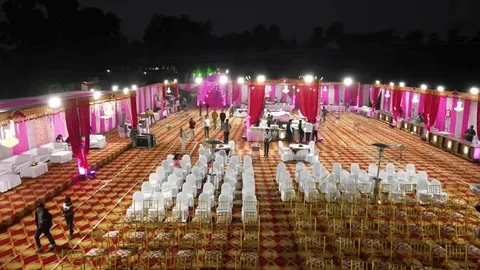
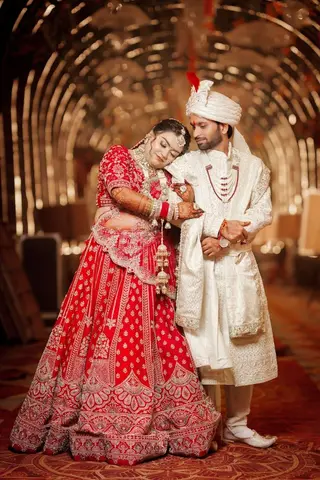
Events are photographed for hundreds of people at once: the organiser needs the best shots, and every guest wants the photos they appear in. Smart Photo Selection lets event photographers upload the whole event, have the organiser select photos online, and give guests a QR code that finds their photos with a face scan.
Find Your Photos
Look at the camera
 Face found
Works in the browser · no app
Scan complete
Your photos are ready
How it works
Event Photo Workflow for Photographers
- 01
Upload the event
Split the day into folders (stage, candids, awards) with bulk photo upload.
- 02
Organiser selects
The organiser or client marks the photos they need and submits. See client photo selection.
- 03
QR at the venue
Display or print the event's QR code so guests can open the face scan photo finder.
- 04
Share and deliver
One online gallery link, plus a ZIP download of the selected photos.
Event photo selection
Event Photo Selection With the Organiser
Corporate clients and organisers usually need a smaller set for reports, social media or print. In the event gallery they filter selected and not selected photos, select whole folders, and submit when the set is final, which locks it so it can't change by accident.
You download exactly the approved set as a ZIP and decide whether the client can download photos themselves.
Event guest photos
Let Every Event Guest Find Their Own Photos
Built for large guest counts
Instead of sending photos to each attendee, one QR code serves the whole event.
Nothing to install
Guests scan their face in the phone's browser; no app and no account.
Only this event's photos
Each booking has its own scan page, so guests search just that event.
Your studio on the page
Guests see your studio name, Instagram link and phone number on the event gallery.
Results guests can share
Matched photos open on a results page that guests can share with colleagues or family.
Works for many event types
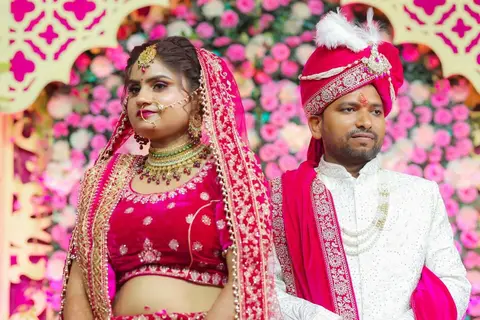
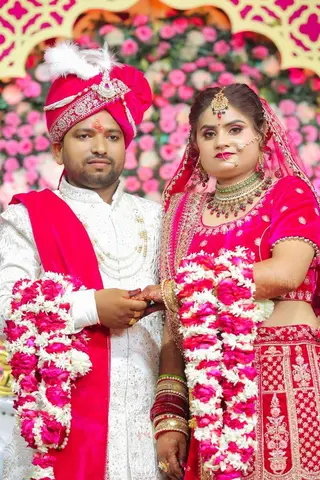
Receptions, birthday and family parties, corporate events and other photographed events.
FAQ
Common Questions
How do event photographers share photos with hundreds of guests?
How does the organiser select event photos?
Can guests find event photos without an app?
Which events can I use Smart Photo Selection for?
- Face Scan Photo FinderGuests find their own photos with an in-browser face scan.
- Face SearchFind every photo of anyone in the event gallery, by face.
- Client Photo SelectionProofing without the back-and-forth: select, submit, download.
- Photo SelectionPhoto selection software: cull the shoot, let clients select online, deliver the approved set.
- Photo Gallery & DeliveryShare an online client gallery by link or QR code and deliver selected photos.
- Wedding Photography WorkflowSelection, culling, sharing and delivery for wedding shoots.
Photograph the Event. Let Smart Photo Selection Handle the Sharing.
Upload once, let the organiser select, and put one QR code in front of every guest.