For photographers
Wedding Album Software for Photographers
Smart Photo Selection keeps a wedding together from upload to album: the shoot lives in the booking, the client selects their favourites, guests find their photos by face, and the album is designed from the same photos.
Here is how different photography businesses use it.
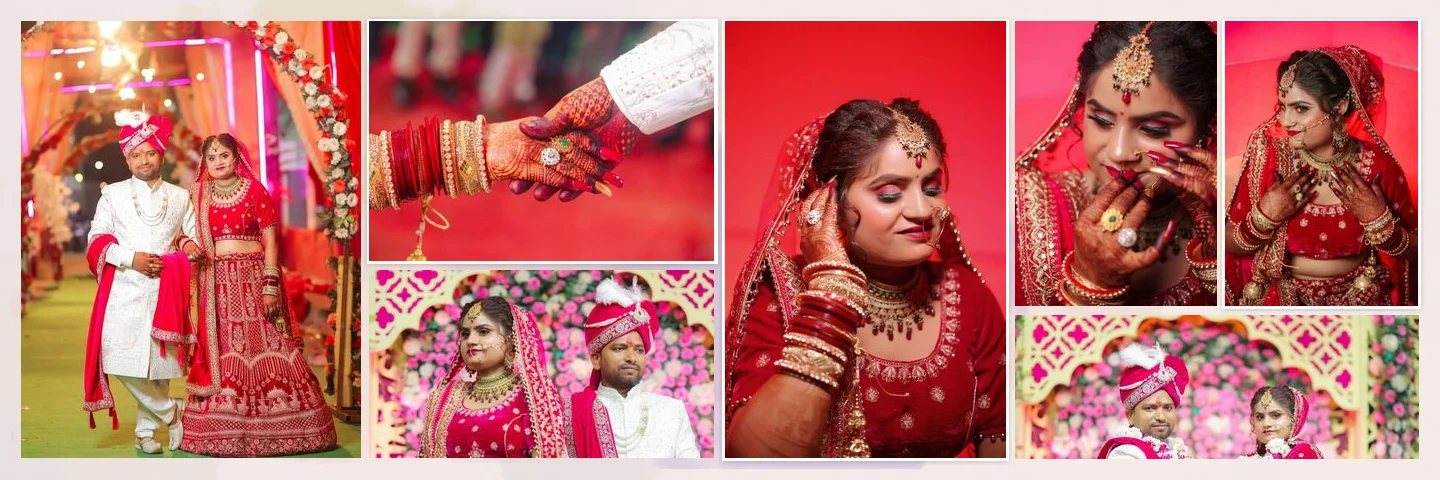
Sample layouts are shown with licensed sample wedding photos; your own photos take their place.
Wedding Photographers
After the couple submits their photo selection, start an album from the booking. Let the AI album generator design the spreads, or fill your favourite template, then adjust the sheets with the couple's feedback.
Photography Studios and Album Designers
Upload the studio's PSD designs once and reuse them for every booking. Photos are mapped in shooting order, so a designer only fixes exceptions. See PSD album automation.
Photo Labs and High-Volume Businesses
Sheets are exported at the template's full size with DPI set, as JPG, PNG or a layered PSD. Reusable templates, keyboard shortcuts and background generation keep repeat work quick.
Event Photographers
Share a face scan photo finder so guests find their own photos, then turn the best frames of the event into a keepsake album.
A Wedding, End to End
- 01
Upload the shoot
Into the booking's folders, with uploads running in the background.
- 02
Select with the client
Cull, share the gallery and receive the client's selection.
- 03
Design the album
AI, a library template or your own PSD, at the size you print.
- 04
Finish and export
Refine in the editor and export full-resolution sheets.
Album Studio is available to photographer accounts. Album projects are currently saved in the browser on the device you use and are not yet synced to your account.
FAQ
Common Questions
Do I need a separate tool for album design?
Can my team share templates?
Can clients see my album drafts?
Is it only for weddings?
- How Smart Photo Selection WorksThe workflow from booking photos to print-ready export.
- AI Album GeneratorDesigned wedding album spreads built from your selected photos.
- PSD Album AutomationDetect photo slots in your PSD and map photos in sequence.
- Wedding Album Templates150 templates in 10 styles, laid out for your album size.
- Album Delivery WorkflowFrom client selection to the printed album.
- Photo SelectionCull the shoot and let the client choose before you design.
Bring Your Album Work Into One Place
Start with a booking you already have, and design its album today.