All features
Every Smart Photo Selection feature, from upload to print lab
46 features for wedding and event photographers: bookings and bulk upload, client photo selection, face scan, private galleries, Album Studio, cloud album storage and album delivery. Each one links to a page that explains it in detail.
How the features connect
- 01Create bookingClient, date, venue
- 02Upload photosBulk upload into folders
- 03Client selectionHearts, limit, deadline, submit
- 04· optionalFace scanGuests find their photosPremium
- 05Share galleryLink, QR, WhatsApp
- 06Design albumAI draft or your PSD, then edit
- 07· optionalSave albumPSD + JPG in the cloudStorage plan
- 08Approve & shareYou approve, client sees JPGsPremium Plus
- 09Print labOne ZIP with every sheetPremium Plus
Dashed steps are optional. The AI drafts album layouts and ranks photos, but nothing reaches the client until you approve it; album generation after selection is part of Premium Plus, and other plans design the album in Album Studio themselves.
Bookings and upload
Every shoot is a booking: its photos, client, gallery, selection and album stay together.
Create a booking with the client, event date and venue in three short steps; it gets its own gallery link.
Upload a full shoot in one go; files upload in parallel, failed files retry and uploads keep running while you work.
Split a wedding into Haldi, Mehendi, Wedding and Reception folders so clients browse by event.
Pick the cover shown at the top of the client's gallery.
Client photo selection
Clients pick their favourites in the gallery instead of sending file names on WhatsApp.
Clients tap a heart on each photo they want; you see the selection live in the booking.
When the client submits, the selection is locked so the set you edit is final.
Set how many photos a client may pick and until when; the gallery shows both.
Filter by Selected / Not selected and download the client's selection in one ZIP.
Album Studio ranks photos by sharpness, exposure and faces and skips near-duplicates, so you start from a shortlist - you still decide.
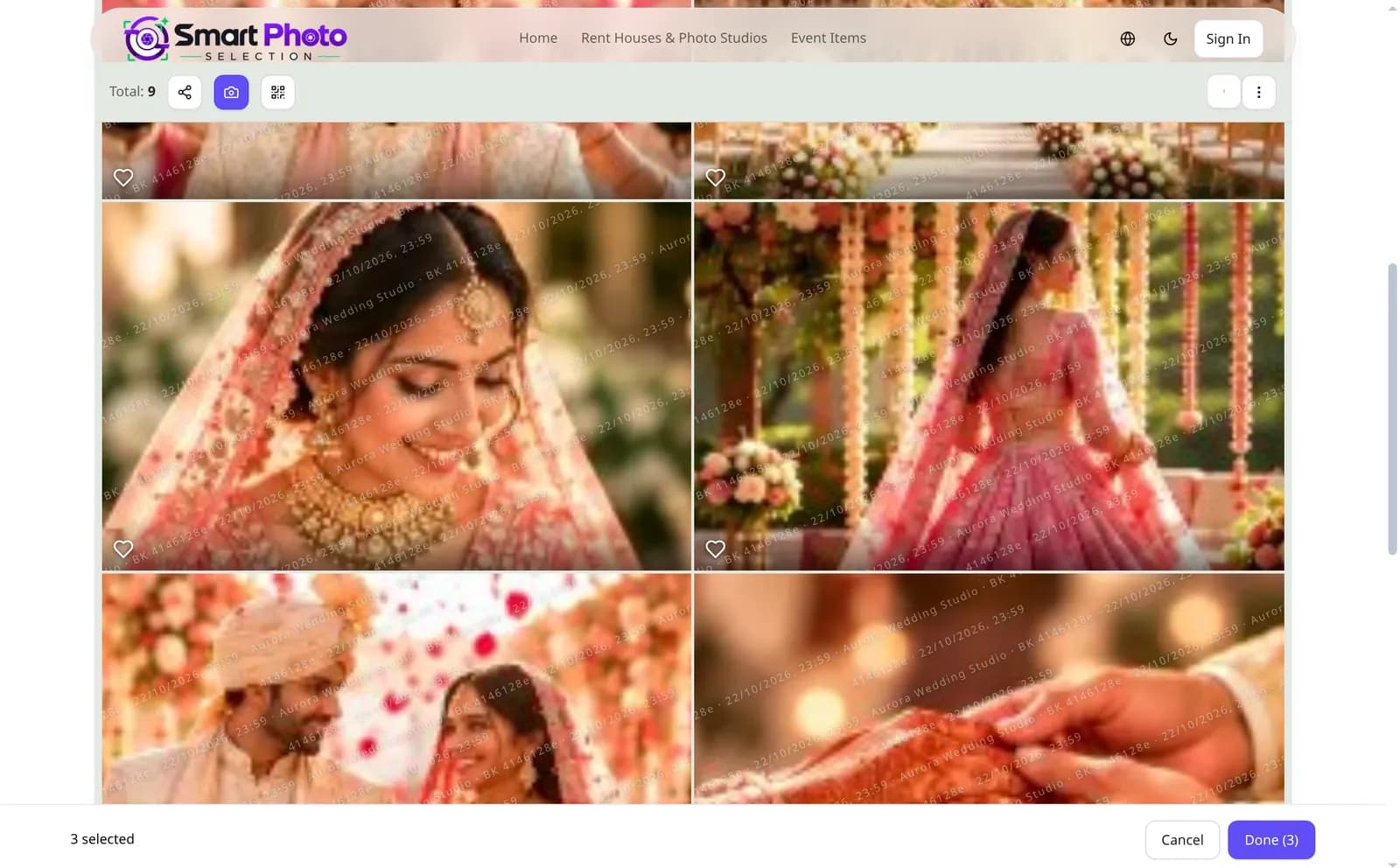
The client's gallery: photos carry a protective overlay and the bar counts the selection.
Face scan photo finding
Guests find their own photos in a large event without scrolling through thousands.
Face scan by link or QR
Premium & Premium PlusGuests open the booking's scan page and scan their face; matching photos are shown. The face is read in the browser and the selfie itself is not uploaded.
AI indexing database
Premium & Premium PlusSee which bookings have their faces indexed and open each gallery from one list.
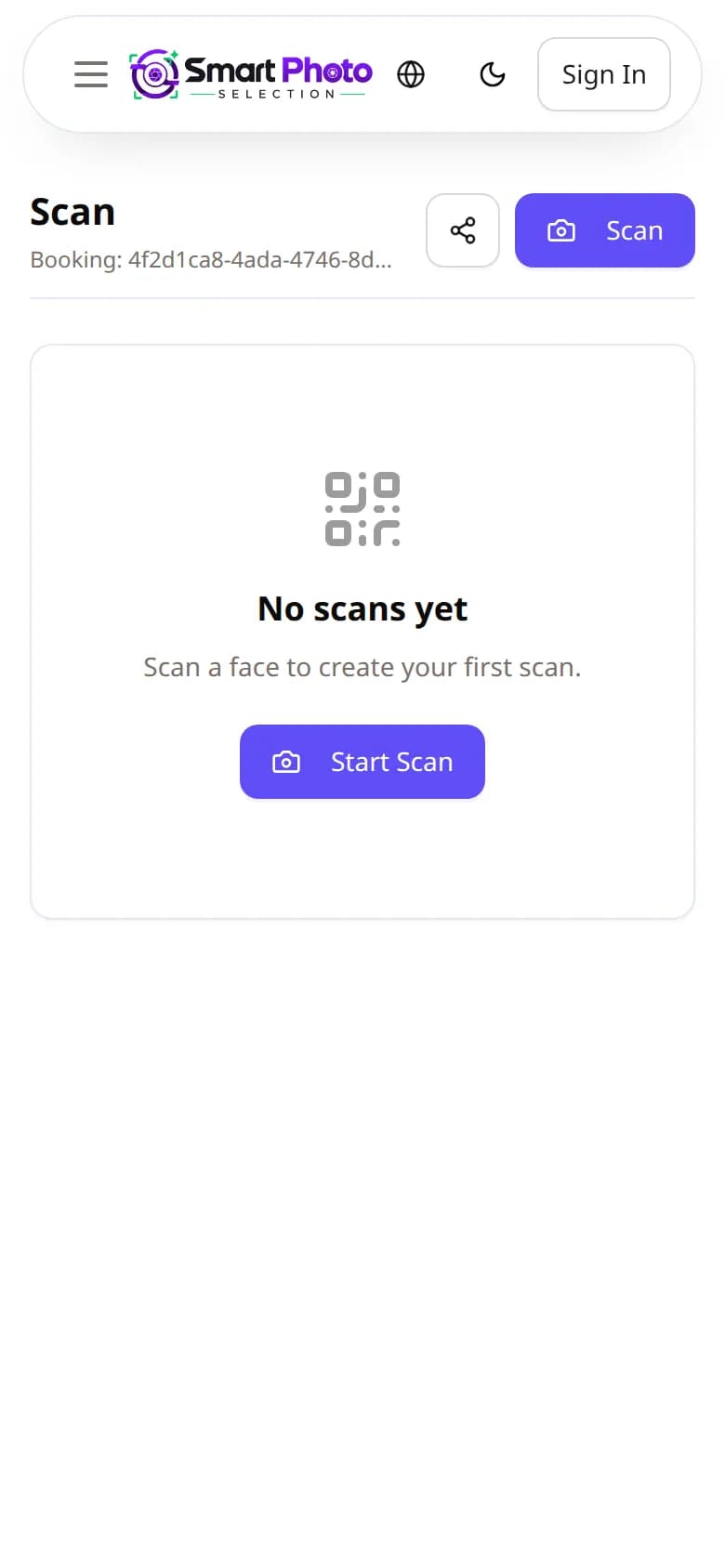
Guests open the booking's scan link or QR on their phone and start a face scan.
Galleries, privacy and branding
The gallery is the client's first impression, so it carries your studio name and protects your photos.
Choose a design per booking - card grids, compact rows or themed cover pages.
Private galleries open only through the client's link; a leaked link can be revoked and replaced.
Logo or text watermark with position and size, set for the studio and switchable per booking.
Client previews carry a faint studio / booking overlay, and you decide whether clients may download.
Each project stays online for its validity period; extend it from the booking when a client needs more time.
Your studio name, logo and contact details appear on the gallery and on booking QR codes.
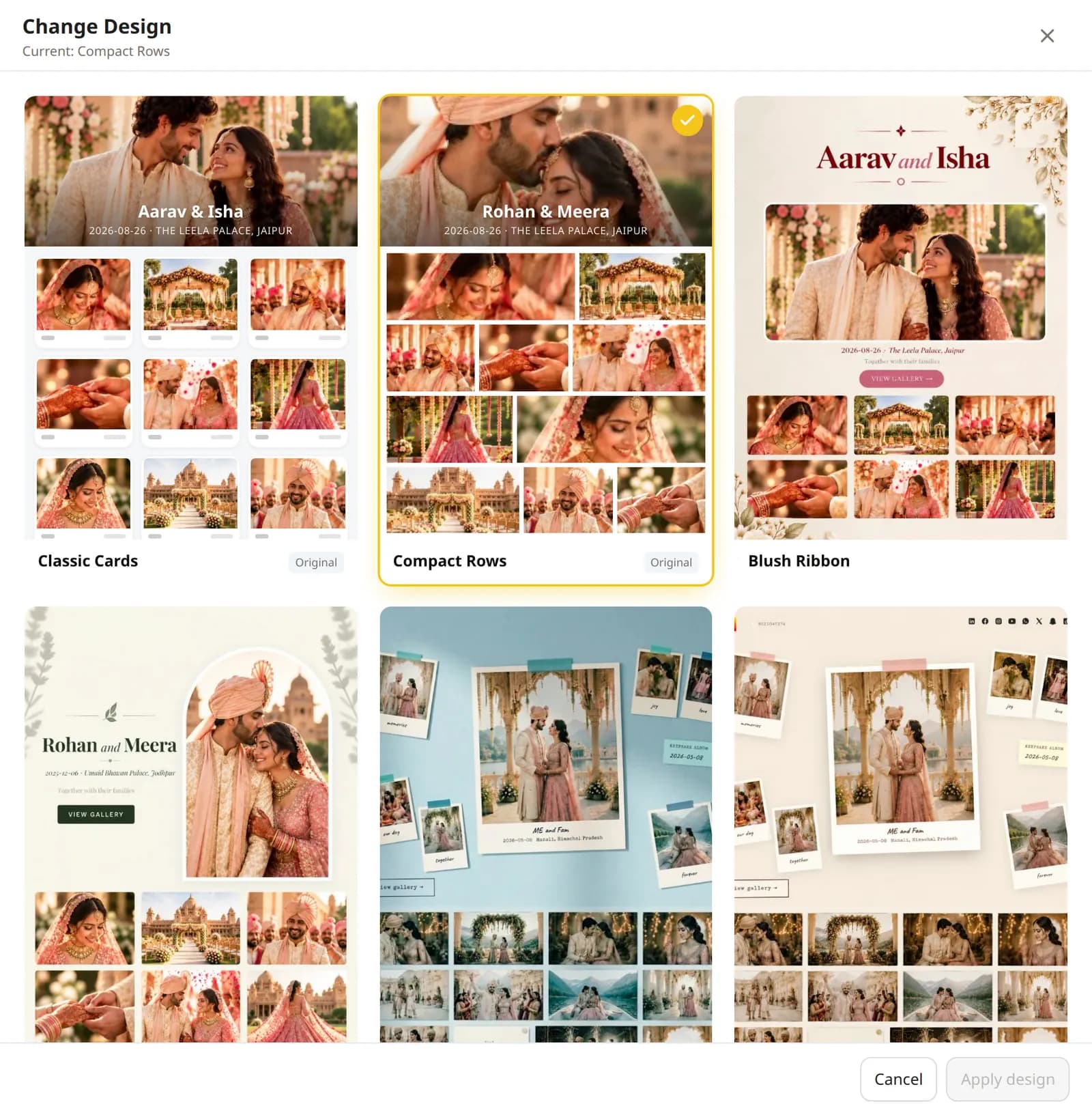
Each booking can use its own gallery design.
Sharing and invites
Send the gallery the way your clients already communicate.
A branded QR code per booking to print or show at the venue.
Add guests to a booking and share the link on WhatsApp or by email.
Copy the gallery link or share it with the phone's share sheet.
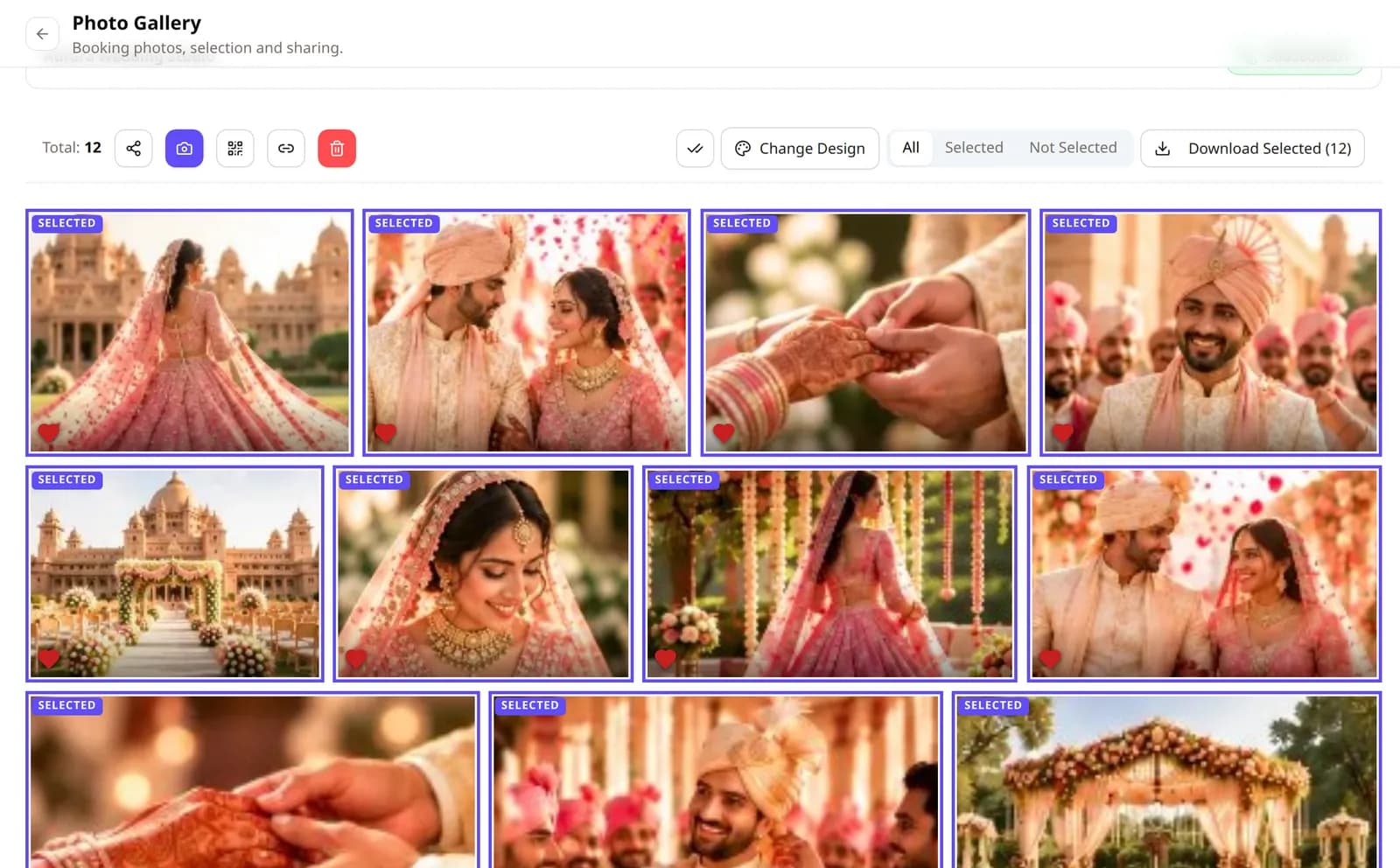
The booking gallery shows which photos the client selected; share, QR code, design and downloads sit in one toolbar.
Album Studio
Design the wedding album from the booking's photos in the browser.
Album template library
Active plan400+ system templates in 20 composition families, filtered by photo count, size and style.
AI album generator
Active planGenerates fold-safe spreads from the selected photos; regenerate or edit any sheet.
Your own PSD templates
Active planUpload a PSD design; photo slots are detected and filled with the booking's photos.
Layered album editor
Active planLayers, masks, crop, colour adjustments, text and history on each sheet.
Print-ready export
Active planJPG, PNG, TIFF, PDF, WebP or layered PSD at 300 DPI in 12×36, 14×40, 12×30 or a custom size.
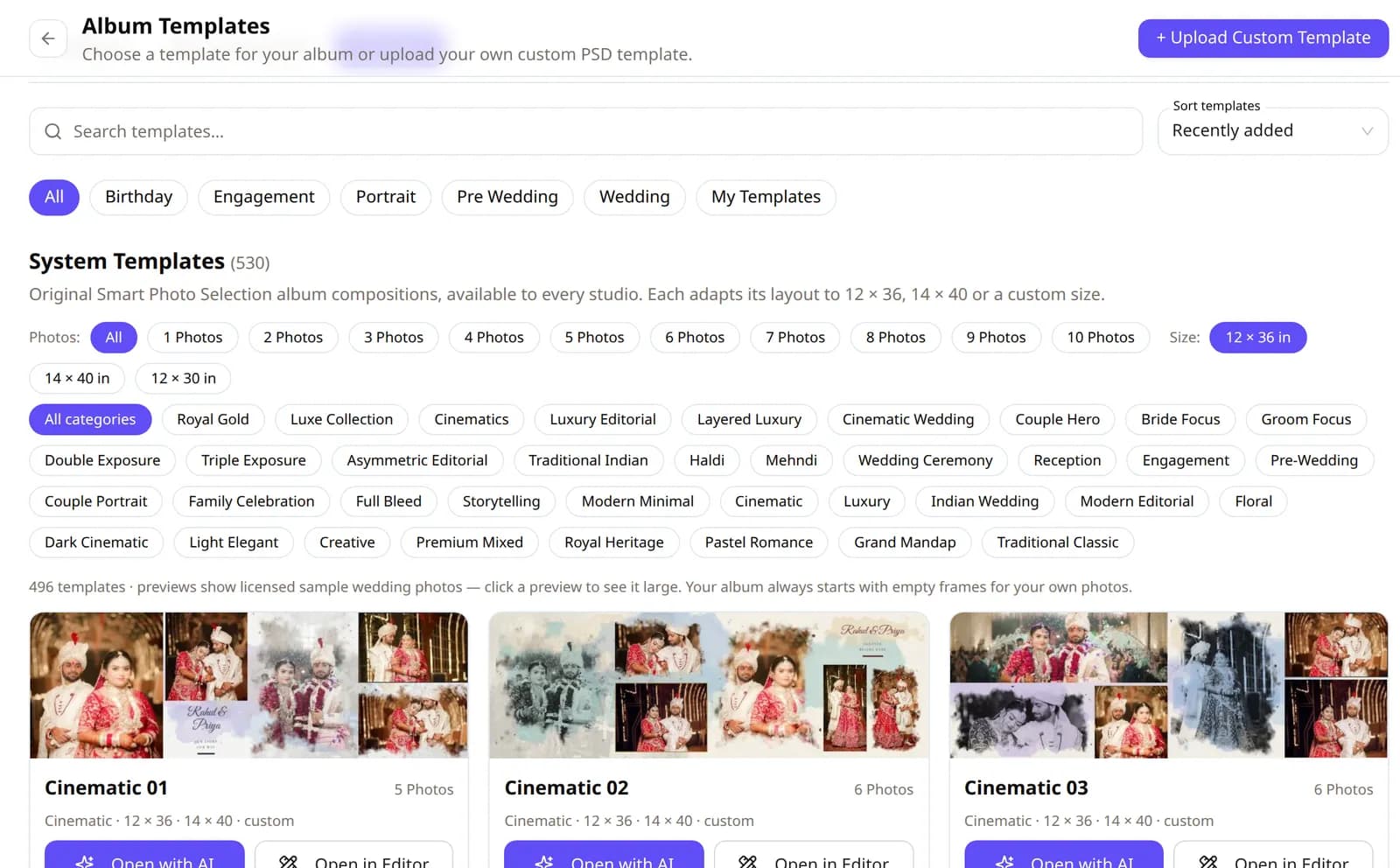
Album Studio template library.
Saved albums and storage
Keep finished albums in the cloud instead of on one computer.
Save the complete album
Album storage planOne save keeps the album's PSD, JPG sheets and previews together.
Download PSD, JPG or all
Album storage planDownload every sheet as layered PSD, as JPG, or both in one ZIP.
Delete and free up space
Album storage planDeleting a saved album removes its files from storage first, then from your list.
100 GB, 200 GB or 400 GB of album storage for 28 days, separate from your photographer plan.
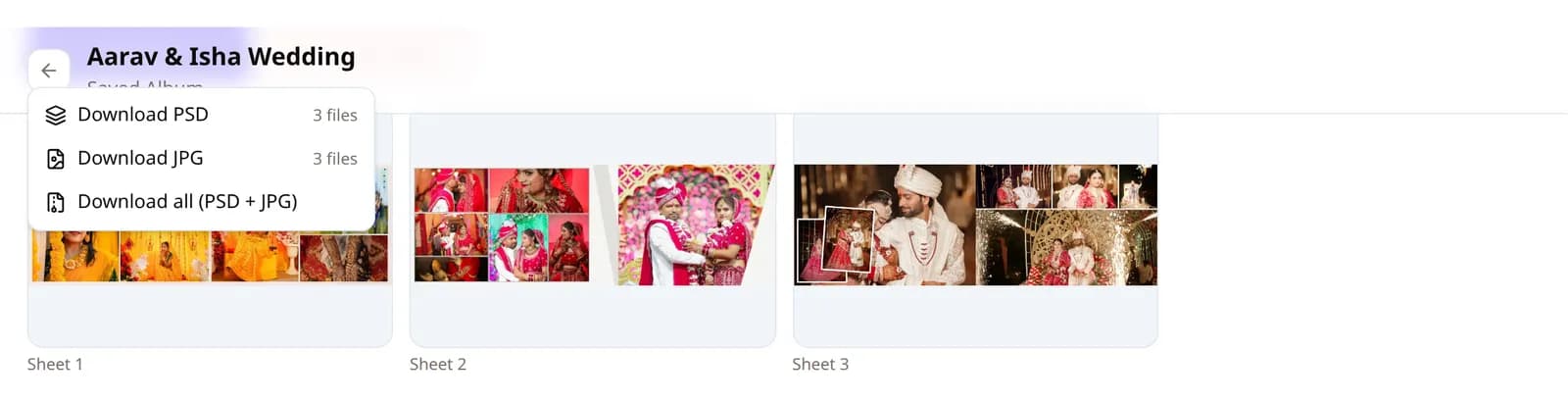
A saved album keeps its PSD, JPG and preview files together in your album storage.
Album automation and delivery
When the client submits, the album is generated for you - and nothing reaches the client until you approve it.
Generate after selection
Premium PlusThe submitted selection queues an album with the booking's chosen design.
Versions, approve or regenerate
Premium PlusReview each version, approve it or regenerate; every version is kept until you delete it.
Share the album with the client
Premium PlusApproved albums appear in the client's gallery as JPG sheets; the PSD never leaves your account.
Album QR code and WhatsApp share
Premium PlusSend the album link by QR code, WhatsApp or a copied link.
Print lab: Download All
Premium PlusOne ZIP with every sheet in order and a manifest, or a time-limited link to send to the lab.
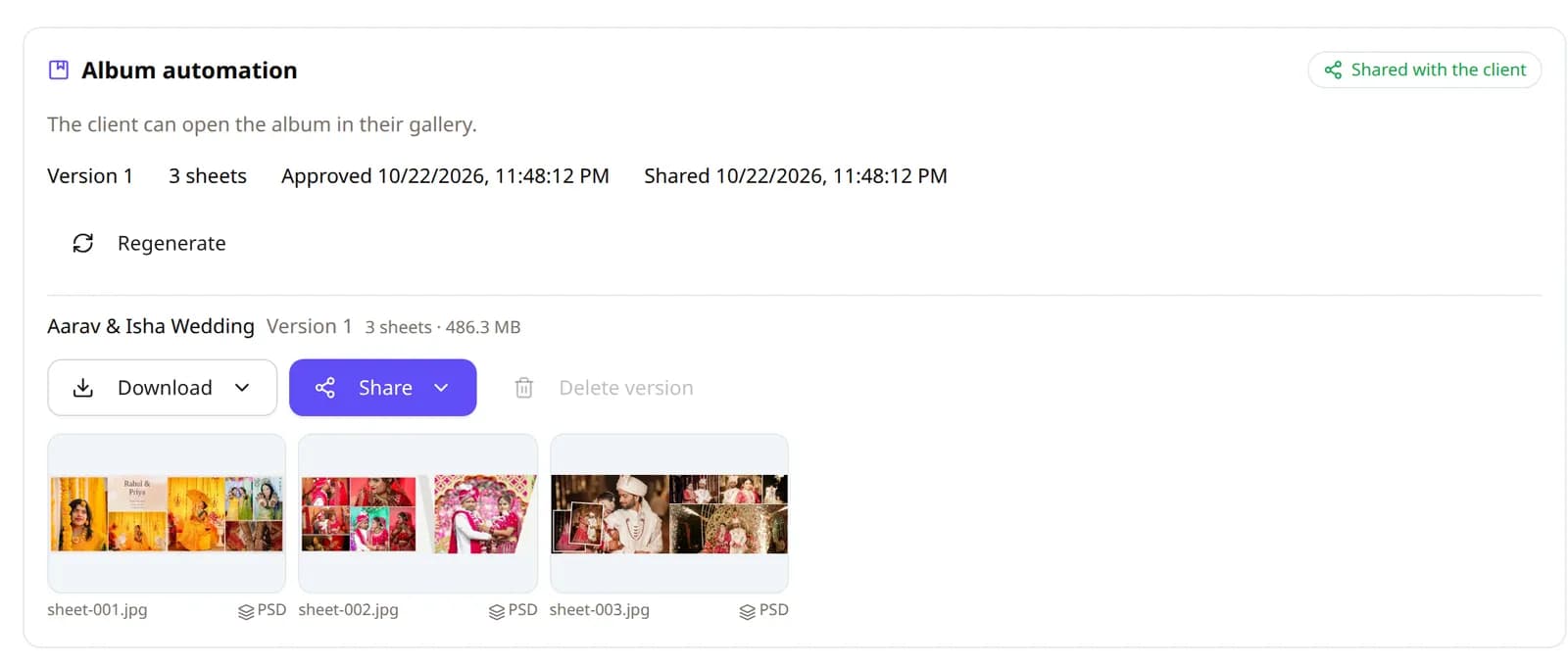
Album automation (Premium Plus): each generated version is approved by you before it is shared with the client.
Studio management
Run the business side from the same account.
Booking analytics
Every booking's photos, selection progress and album status in one table, with filters and sorting.
Save your print lab's details once in the studio profile for album hand-offs.
1 device on the 1 Month and 1 Year plans, 4 on Premium, 8 on Premium Plus.
Refer another photographer and you both get a discount on a plan.
Light and dark mode
The whole app follows a light or dark theme.
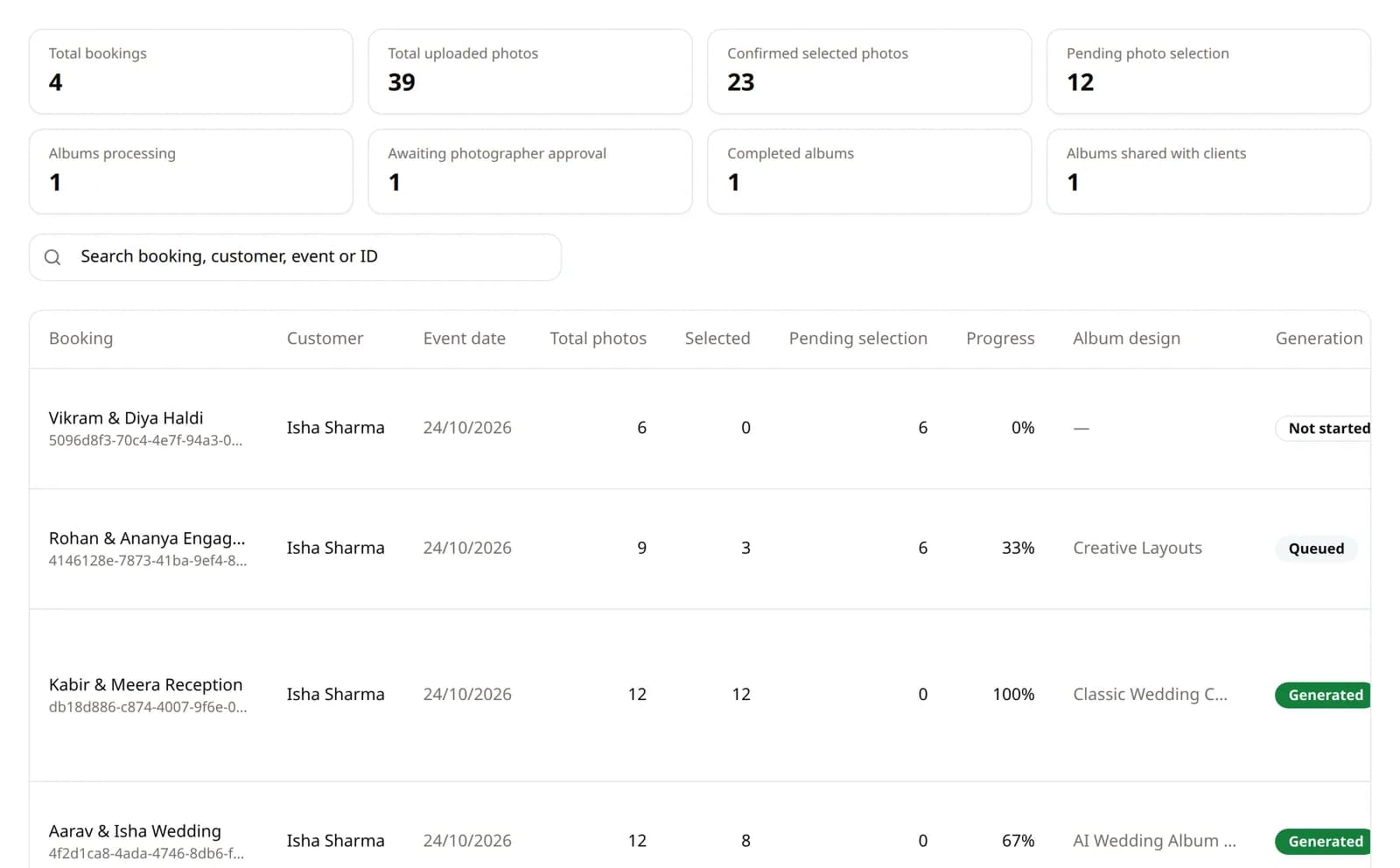
Booking analytics: every booking's selection and album status in one table.
Portfolio website
Publish a branded studio portfolio website with your name, logo, photos, reels and album showcases.
Portfolio builder
Premium StudioStudio name, headline, bio, logo, cover and contact details in one editable page.
Three templates
Premium StudioRoyal Editorial (magazine), Cinematic Studio (dark film) and Modern Creative (clean grid).
Photos, videos and reels
Premium StudioUpload photos and videos or embed reel links; media stays on your studio prefix.
Flipbook album showcase
Premium StudioLink a published album version and it renders as an interactive page-turning flipbook with a full-screen viewer.
PSD showcase previews
Premium StudioPSD versions are shown as generated JPEG previews; the layered PSD never leaves your account.
Duplicate photo detection
Premium StudioFind exact duplicates by SHA-256 hash inside a booking - no paid AI, no automatic deletion, you review every group.
Public studio link
Premium StudioPublish at your own slug; drafts answer 404 and expired-plan portfolios hide themselves.
The booking gallery shows which photos the client selected; share, QR code, design and downloads sit in one toolbar.
Which plan includes what
Prices and limits as they are set in the app today. A free plan is available to start - see Pricing for its terms and to buy a plan.
| Plan | 1 Month₹199 / month | 1 Year₹1,499 / year | 1 Year Premium₹2,499 / year | 1 Year Premium Plus₹5,999 / year | 1 Year Premium Studio₹9,999 / year |
|---|---|---|---|---|---|
| Projects (bookings) | 5 | 50 | 100 | 300 | No project limit |
| Photos per project | 2,000 | 3,000 | 5,000 | 8,000 | No photo limit |
| Devices signed in | 1 | 1 | 4 | 8 | 8 |
| Selection, galleries, QR, watermark | |||||
| Album Studio | |||||
| Face scan photo finding | |||||
| Album automation, approval, print-lab ZIP | |||||
| Portfolio website (builder, templates, flipbook, PSD previews) | |||||
| Duplicate photo detection (SHA-256) |
Each project's photos stay online for 1 month and can be extended for a fee. Album Studio needs an active plan with projects left.
Album storage plans
Saving finished albums (PSD, JPG and previews) to the cloud uses a separate album storage plan, valid for 28 days:
- 100 GB₹249 / 28 days
- 200 GB₹499 / 28 days
- 400 GB₹899 / 28 days