Photo Delivery
How to Deliver Wedding Photos Faster
Delivery rarely stalls because editing is slow. It stalls because the upload sat untouched, the couple never chose their photos, and the final files went out as a folder nobody could open. The fix is structural: upload in the background, cull early, let the client select online, share one gallery link, and hand over a locked set as a ZIP — with the album and the photo period planned in from the start.
By Smart Photo Selection TeamUpdated Published 4 min readIn Photo Delivery
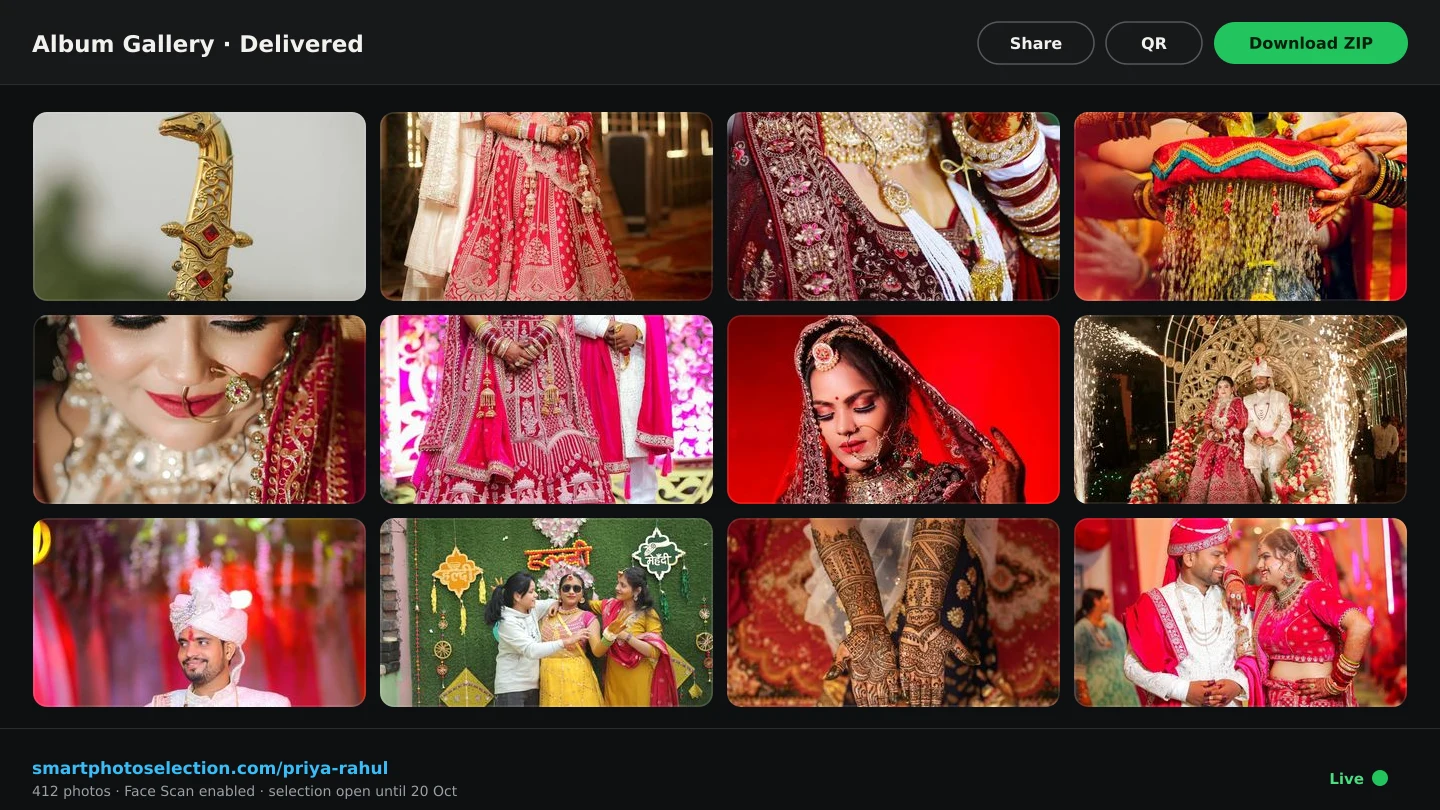
Upload once, in the background
Delivery rarely stalls because editing is slow: it stalls because the upload sat untouched, the couple never chose their photos, and the final files went out as a folder nobody could open. Close each of those gaps early. In Smart Photo Selection, bulk upload runs several photos at a time and keeps going while you work elsewhere, with a progress panel following you around the app. Failed files are kept for retry and interrupted uploads resume, so a dropped connection does not restart the day. Upload straight into folders — one per function — because every later step, from culling to the gallery, reads that structure. See bulk photo upload.
Cull before anyone else looks
A client who opens a gallery full of rejects stops trusting it. Remove misses, test frames and near-duplicates first, ideally with AI-assisted culling doing the first pass. The culling workflow sets out the two passes and the rules to apply consistently across folders.
Let the client select online
Share the gallery link and let the couple mark favourites in the browser, folder by folder. They filter to what they have chosen, submit when done, and the set locks. That submission is the delivery decision made explicit: you download exactly those photos as a ZIP instead of guessing which of 400 frames they meant in a message. The client photo selection workflow covers the stage in detail.
One link, one QR code
- For the couple: the same gallery, used to select and — if you allow it — to download.
- For guests: a QR code at the venue and the face scan, so they find their own photos instead of asking you.
- For you: one address per booking, with your studio name, Instagram and phone number on the page.
- For the archive: the gallery stays available until the booking's photo period ends — every booking shows that date, and you can extend it when a client needs longer.
Deliver the approved set
Download the submitted selection as a ZIP — the set is already agreed, so there is nothing to re-check. If client downloads are on, they can fetch the same files themselves. Deliver through the gallery rather than a file-transfer link: the gallery keeps the branding, the counts and the contact details together, and it is the same address guests are already using. Check the booking's photo period before you promise a delivery date, and extend it from the booking if the client needs longer. More on the handover in the gallery delivery guide.
Do not let the album stall the handover
Albums take longer than preview delivery, and they do not have to block it. Deliver the selected photos first, then work on the album from the same submitted set: open Album Studio from the booking, generate the sheets, review them and export. Clients get their gallery while the book is still in design, and the album delivery workflow keeps revision rounds short.
A faster delivery checklist
- Upload runs the same evening, into folders, with failures retried.
- The cull is done before the gallery link is sent.
- The client has a target number and a submission date.
- Selection is submitted and locked, not discussed informally.
- The approved set is downloaded as a ZIP and backed up.
- Client downloads and the photo period match the package.
- The album starts from the same selection, without holding up delivery.
photo deliveryclient galleriesworkflowwedding photography
Frequently Asked Questions
What is the fastest way to deliver wedding photos?
Upload in the background the same day, cull early, let the couple select and submit online, then download the approved set as a ZIP and share it through the gallery.
Can clients download photos themselves?
Yes, when client downloads are turned on for the booking. You decide per booking whether they can.
How do guests get their photos?
Through the same gallery using the face scan: they scan in the browser and see the photos they appear in, with no app or account.
What if the couple wants photos after the gallery expires?
Each booking shows its photo period and deletion date, and you can extend the period from the booking before it runs out.
Should the album be finished before delivery?
No. Deliver the selected photos first and design the album from the same selection; the album delivery workflow separates the two.
Related Articles
- The Client Photo Selection Workflow, Start to FinishHow client photo selection works online: share a gallery, let the client mark favourites, lock the set on submission and download exactly what they chose.
- Face Scan: Find Any Person's Photos in an Event GalleryHow a face scan photo finder works: a guest scans their face in the phone browser and sees only the event photos they appear in, with no app and no account.
- A Wedding Album Delivery Workflow for PhotographersA practical album workflow for wedding photographers: client photo selection, design, review rounds, revisions, lab checks, printing and final delivery.
- The Complete Wedding Photography WorkflowOne workflow from the wedding day to delivery: folder uploads, culling, client selection, face scan for guests, gallery delivery and album sheets.
- Best Photo Selection Software for Wedding Photographers: How to ChooseHow wedding photographers should compare photo selection software: online proofing, AI shortlists, face search, album handoff — and the questions that reveal fit.
Step-by-Step Guides
- How to Manage and Deliver Photo GalleriesRun a booking's gallery end to end: downloads, private mode, sharing by link or QR, ZIP delivery of the selected set and the photo period that governs expiry.
- How to Send Photos to Clients for SelectionHand a gallery to the couple for photo selection: share the link or QR, let them mark frames with Done, then submit so the agreed set is locked for delivery.
- How to Upload and Organize Event PhotosUpload a full wedding shoot into Smart Photo Selection, keep one folder per function, recover failed uploads and check the gallery is organised before you cull.
- How to Find Photos With Face ScanSet up and use Face Scan in Smart Photo Selection: share the gallery link or QR code, let a guest scan their face in the browser and show the photos they appear in.
Related Features
Design Your Next Album in Smart Photo Selection
Generate spreads from a booking's photos, refine them in the layer-based editor and export print-ready files.