Photo Selection
How AI Photo Selection Improves a Photographer's Workflow
A wedding workflow is a chain: upload, cull, select, share, find, deliver, design. AI photo selection does not replace the chain - it removes the repetitive link in the middle, where a photographer spends hours ranking sharp frames against blurry ones instead of making decisions. This post maps where AI belongs in a photography workflow, what stays deliberately human, and how selection connects to client galleries, booking QR codes, face scan and the album.
By Bhanwar Lal Kumawat · Founder & Full-Stack DeveloperUpdated 4 min readIn Photo Selection
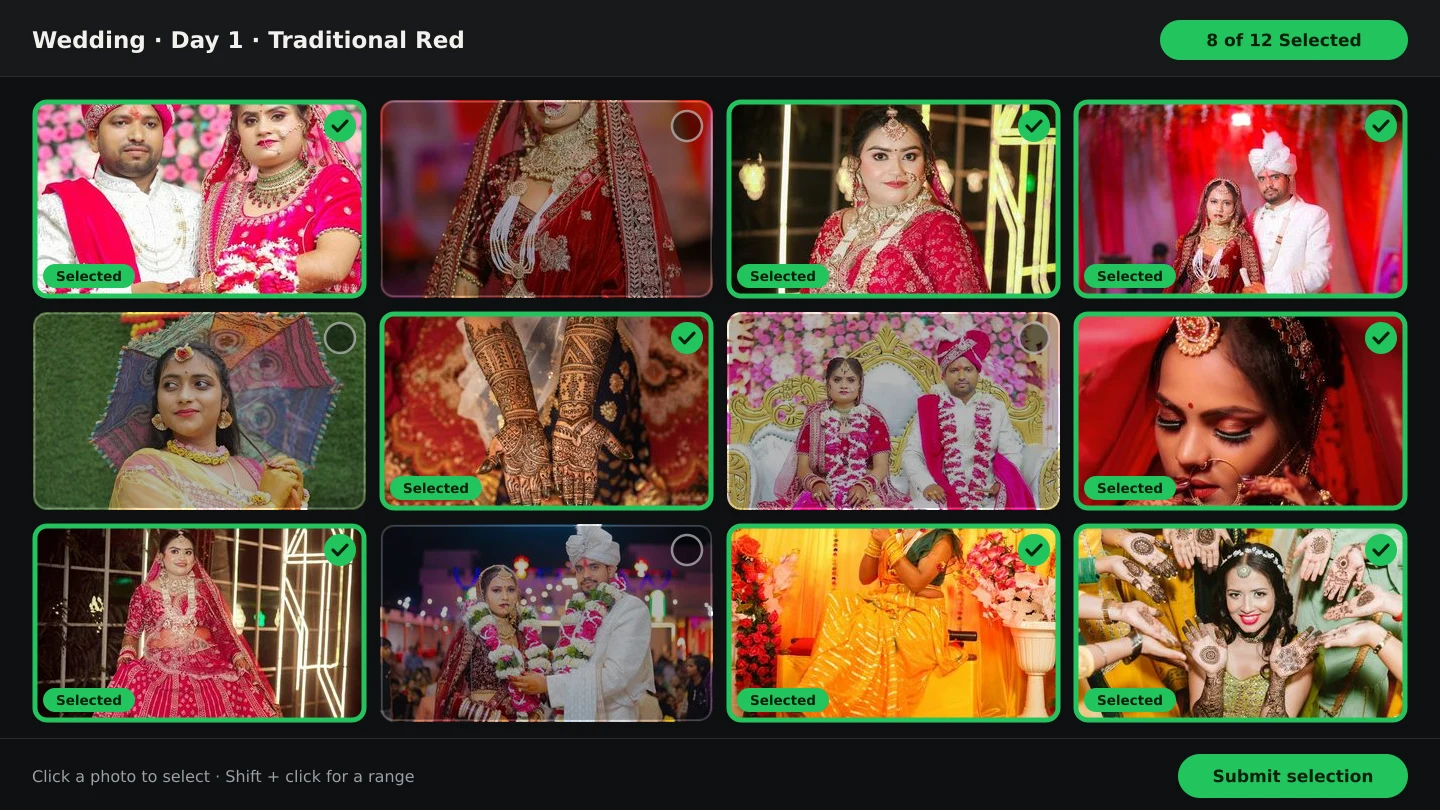
Where the hours actually go
Ask a wedding photographer where a post-shoot week disappears, and the answer is rarely photography. It is the admin around the photographs: copying cards, scrolling a three-thousand-photo grid deciding which of three near-identical frames to keep, exporting samples for the couple, answering “send me my photos” messages one guest at a time, and only then opening the album software. Every one of those steps is real work, but most of them are judgement-light - which is precisely what AI tools for photographers are good at taking over.
What AI photo selection actually does
In Smart Photo Selection, AI photo selection scores the frames you uploaded - sharpness, exposure, whether faces are present and clear, which frames are near-duplicates of each other - and proposes a shorter list to work from. Weak and repeated frames surface first, so the review becomes a series of quick accept-or-restore decisions instead of an endless scroll. It does not invent photos, retouch anyone, or publish anything; the output is a set you can still add to and remove from. The deeper explainer - what the scores measure and what they must never decide - is in AI photo selection for wedding photographers.
One booking, AI at every stage
The efficiency comes from the stages sharing one booking instead of passing files between tools:
- 1
Upload once
The whole shoot goes into the booking, one folder per function. Everything later - selection, gallery, face scan, album - reads this upload. See how to upload and organise event photos.
- 2
AI first pass, human second pass
Run AI photo selection for the mechanical ranking, then finish the cull by hand for the story calls only you can make.
- 3
Client selects in the gallery
Share one gallery link: the couple marks favourites in the browser - no account, no app - and submits, which locks the agreed set.
- 4
Guests find themselves
The same gallery carries a booking QR code and face scan: guests scan their face and get their own photos instead of messaging you for them.
- 5
Album from the approved set
The submitted selection feeds the album studio, where AI places spreads for you to refine - the workflow continues without a re-upload or export shuttle.
What stays deliberately human
- The story calls. Which moment opens the album, which blurry dance-floor frame is the only record of something important, where the pacing drags.
- Client taste. The brief, the family dynamics, the frames the couple already told you they care about.
- Retouching and colour. Skin, stray distractions and the album's look remain editorial choices - see natural skin retouching for where the line sits.
- The final word. AI proposes; nothing reaches a client, a gallery or a print without you approving it.
The effect on the client and guest experience
A tighter selection reaches the couple faster, and a gallery with a scan option changes the guest relationship entirely: instead of being the bottleneck for hundreds of people's photos, you hand them a link or a printed QR code and they help themselves. Fewer messages, faster album starts, and a delivery process that looks professional because it is consistent - every booking runs the same path. For how the pieces compare when you are choosing tools, photo selection vs photo culling separates the two jobs, and the photography workflow page shows the full sequence.
A practical routine that holds up
- Upload each function into its own folder as the shoot weekend ends.
- Run the AI first pass; restore anything that matters; finish the cull by story.
- Send the gallery link; let the couple select function by function; follow up once.
- Print or send the booking QR code while the event is still recent.
- Download the submitted selection and design the album from exactly that set.
AI photo selectionphotography workflowAI tools for photographerswedding photo selection
Frequently Asked Questions
Does AI photo selection replace manual culling?
It replaces the mechanical part - ranking sharpness, exposure, faces and near-duplicates. The story calls and the final keep-or-drop decisions stay with you.
Can clients use the gallery without an account?
Yes. Clients mark favourites and submit in the browser from the gallery link; guests can use the same link with face scan to find their own photos.
Is AI photo selection part of every plan?
Photo selection and galleries are part of the normal workflow; face scan runs on photographer premium plans. See the pricing page for what each plan includes.
Do the AI-selected photos go straight to the album?
They can - but the album should start from the client's submitted selection, so the design reflects the agreed set rather than a working cull.
How is this different from AI album design?
AI photo selection shortens the list of photographs; AI album design takes the approved photos and lays them out as spreads. They sit at different ends of the same workflow - see AI wedding album design.
Related Articles
- AI Photo Selection for Wedding PhotographersWhat AI photo selection does with sharpness, exposure, faces and duplicates, and how to use it on a wedding shoot without losing the moments that matter.
- The Complete Wedding Photography WorkflowOne workflow from the wedding day to delivery: folder uploads, culling, client selection, face scan for guests, gallery delivery and album sheets.
- Photo Selection vs Photo Culling: What's the Difference?Culling removes rejects on your computer; selection collects the client's decision online. What each step does, who it serves, and the order that works.
- How Photographers Can Share Event Photos Using Booking QR CodesGenerate a booking QR code for a photography event, print or send it, and guests scan it with any phone camera to open the gallery. See a real sample.
Step-by-Step Guides
- How to Use AI Photo SelectionRun AI Photo Selection: set how many photos the album needs, rank the shoot by sharpness, exposure and faces, then adjust the shortlist by hand.
- How to Cull Photos Before SelectionCull the raw shoot in Smart Photo Selection: review folders at full size, remove blinks, blurs and test frames, and keep the client's view clean.
- How to Send Photos to Clients for SelectionHand a gallery to the couple for photo selection: share the link or QR, let them mark frames with Done, then submit so the agreed set is locked for delivery.
Related Features
Design Your Next Album in Smart Photo Selection
Generate spreads from a booking's photos, refine them in the layer-based editor and export print-ready files.