Wedding Album Design
How Many Photos per Wedding Album Spread?
There is no single right number of photos per spread, but there is a right number for each moment. This article explains how density affects the way a spread reads, how to pace an album, and how to choose between a quiet two-photo spread and a busy ten-photo one.
By Smart Photo Selection TeamUpdated 4 min readIn Wedding Album Design
The short answer
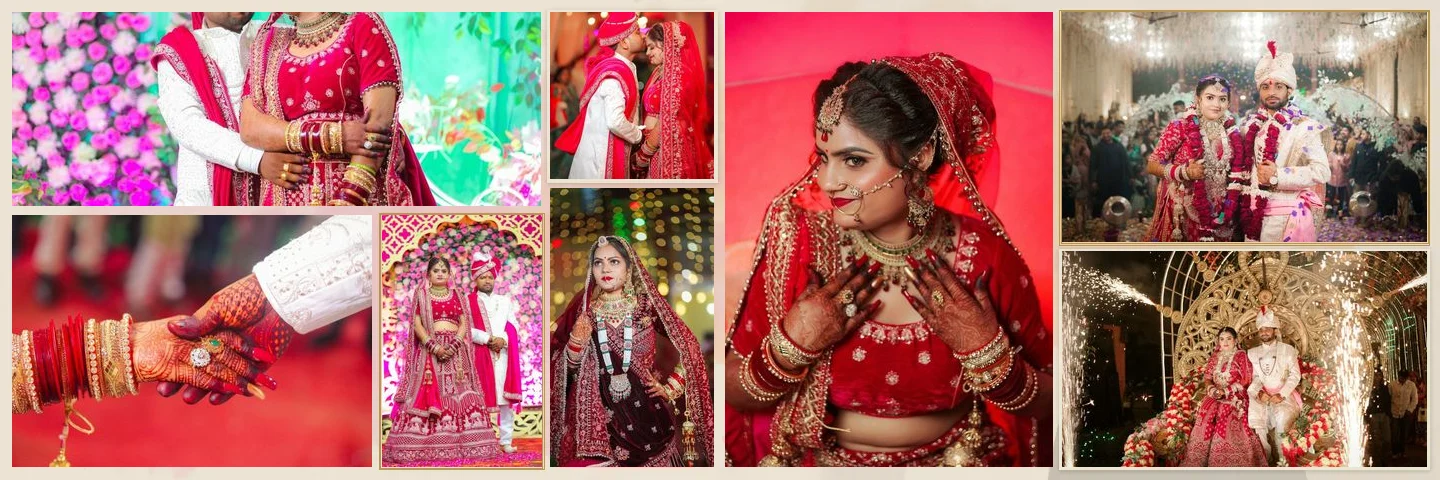
Most wedding spreads work well with 5 to 8 photos, one of which clearly leads. Use fewer (1–4) for the moments that deserve space, such as portraits, the first look or the vows, and more (9–10 or beyond) for energetic sequences like the dance floor or family groups. What matters more than the average is the rhythm: alternating calm and busy spreads keeps the album readable.
What density does to a spread
| Photos | How it reads | Good for |
|---|---|---|
| 1–2 | Slow, cinematic, full attention | Opening spread, portraits, the kiss, closing spread |
| 3–4 | Calm, with a clear hero | Couple sessions, getting ready, quiet details |
| 5–7 | Balanced storytelling | Ceremony sequences, entrances, most of the album |
| 8–10 | Lively, documentary | Reception, dancing, guests, rituals with many moments |
| 11+ | Dense, collage-like | Use sparingly; individual photos become small |
Every added photo takes area from the others. On a 12 × 36 in spread a single full-height photo is 12 in tall; in a ten-photo layout most frames are a fraction of that. Faces that look great large can become hard to read small, so keep group photos and detail shots in larger frames than you might expect.
Always keep a hero
The most common problem with busy spreads is that every photo is the same size. The eye has nowhere to start. Pick one photo per spread to lead (the sharpest, most expressive frame) and let it take noticeably more area than any other. Smart Photo Selection's generator does this automatically: the strongest frame gets the largest area and supporting photos are sized by importance.
Splitting photos across the two pages
A spread is two pages joined at the fold, so the photos are really split into two groups. Balanced splits (3 + 4, 4 + 4) feel stable; uneven splits (5 + 2, 2 + 5) let one page breathe around a hero while the other carries the supporting sequence. Smart Photo Selection's templates mostly use the most balanced split and sometimes an alternative, and they never place a photo across the fold.
The seven-photo case
Seven is the most common count in the template library (45 of the 400+ templates). It cannot split evenly, which is a good thing: a 3 + 4 or 4 + 3 split naturally puts the hero on the lighter page, and a 5 + 2 split gives a portrait room on its own. The guide on arranging 7 photos on an album spread shows these splits in practice.
Pacing a whole album
Think of the album as chapters. Each chapter opens with a calm spread, builds through a few busier ones and closes on a strong single image. A simple pattern for a wedding day might look like this:
- Opening: one or two photos, often an exposure or portrait.
- Getting ready: 5–7 photos per spread, details mixed with candids.
- Ceremony: 5–8, following the order of events.
- Portraits: 2–4, large and unhurried.
- Reception: 8–10, energetic.
- Closing: one quiet photo.
How many photos for the whole album?
Multiply spreads by your average density. A 30-spread album averaging six photos holds about 180 photos; the same album averaging eight holds about 240. If the client's selection is much larger, either add spreads or trim the selection; squeezing photos in is what makes albums feel crowded. Smart Photo Selection's AI selection step lets you set the number of photos in the album and proposes a shortlist that you can adjust.
Setting photo counts in Smart Photo Selection
- With Designed spreads, choose
Automatic (varies per sheet)to let the generator vary density, orExactly N — all on one sheetfor a fixed count. - Library templates are designed for 5 to 10 photos; filter by photo count to find a layout for a given sheet.
- In the editor, empty frames show an
Add Photobutton, and unused frames can be deleted.
For the full workflow from selection to export, read the complete guide to AI wedding album design.
layoutphoto countpacingspreads
Frequently Asked Questions
Is it bad to put one photo on a whole spread?
No. A single strong photo is often the most memorable spread in an album. Make sure it has enough resolution for the size and that the subject is clear of the fold.
What is the maximum number of photos per spread?
There is no technical limit in the editor, but beyond about ten photos individual frames get small on common album sizes. Smart Photo Selection's library templates hold 5 to 10 photos each.
Should every spread have the same number of photos?
Usually not. Varying density gives the album rhythm. Use calm spreads for important moments and busier ones for lively sequences.
How do I fit more photos without crowding?
Add spreads instead of increasing density, or move secondary photos to a separate guest or reception section.
Related Articles
- AI Wedding Album Design: The Complete GuideHow AI wedding album design works, what it does well, where you still decide, and a practical workflow from photo selection to print-ready export.
- Indian Wedding Album Design Ideas: Haldi, Mehndi, Sangeet, Wedding and ReceptionIndian wedding album design ideas for every function: haldi, mehndi, sangeet, baraat, pheras, vidaai and reception, with layouts, palettes and pacing.
- 12 × 36 vs 14 × 40 Wedding Album: Which Size Should You Offer?12x36 vs 14x40 wedding albums compared: page size, ratio, pixels at 300 DPI, photo resolution needed and which layouts and clients each size suits best.
Step-by-Step Guides
- How to Arrange 7 Photos on a Wedding Album SpreadThree ways to split seven photos across a spread (3 + 4, 4 + 3 and 5 + 2), when to use each, and how to pick or generate a 7-photo layout in Smart Photo Selection.
- How to Create a Wedding Album With AIStep-by-step: pick a booking, run the AI photo selection, choose a size and design style, generate the spreads, then review and export your wedding album.
Related Features
Design Your Next Album in Smart Photo Selection
Generate spreads from a booking's photos, refine them in the layer-based editor and export print-ready files.