Album Printing
12 × 36 vs 14 × 40 Wedding Album: Which Size Should You Offer?
12 × 36 in and 14 × 40 in are two of the most common spread sizes for wedding albums, especially in India. They look similar on a price list, but the larger size changes the ratio, the pixel count and how much resolution your photos need. Here is a side-by-side comparison to help you choose what to offer and how to design for each.
By Smart Photo Selection TeamUpdated 6 min readIn Album Printing
The short version
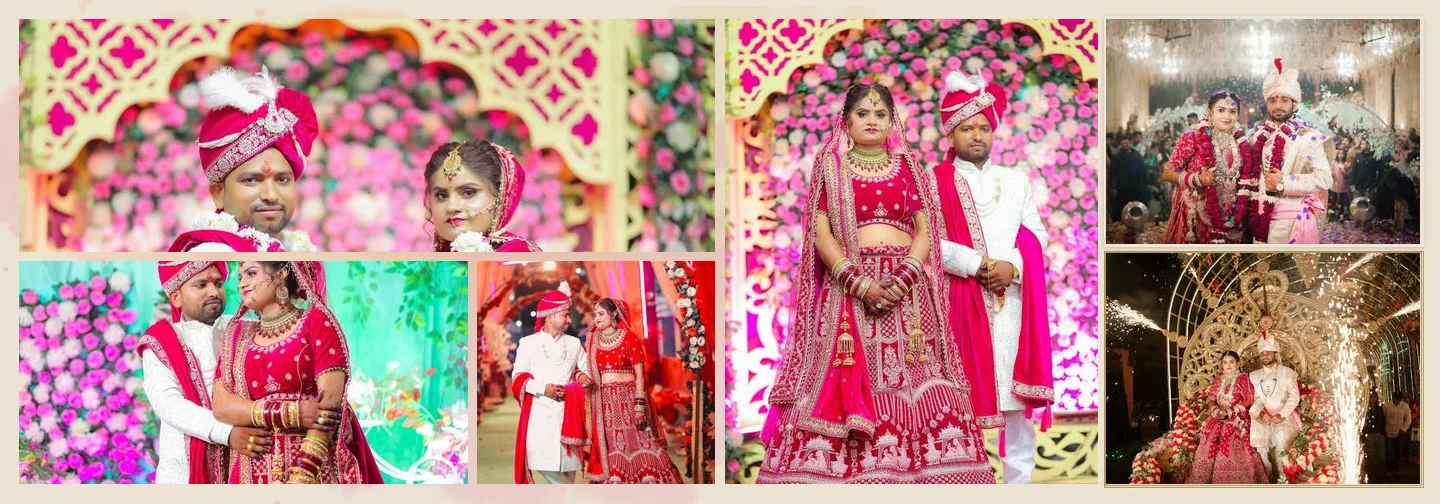
A 12 × 36 in spread is two 12 × 18 in pages with a 3 : 1 ratio. A 14 × 40 in spread is two 14 × 20 in pages with a ratio of about 2.86 : 1, so it is not just bigger but relatively taller. That extra height gives portrait photos more room and makes dense layouts feel less cramped, at the cost of more pixels to fill and slightly higher resolution requirements.
| 12 × 36 in | 14 × 40 in | |
|---|---|---|
| Page size | 12 × 18 in | 14 × 20 in |
| Spread ratio (width : height) | 3 : 1 | about 2.86 : 1 |
| Pixels at 300 DPI | 10,800 × 3,600 px | 12,000 × 4,200 px |
| Megapixels per spread at 300 DPI | about 38.9 MP | about 50.4 MP |
| Full-height photo at 300 ppi | 3,600 px tall | 4,200 px tall |
| Full-height photo at 200 ppi | 2,400 px tall | 2,800 px tall |
At 300 DPI a 14 × 40 sheet has roughly 30 % more pixels than a 12 × 36 sheet. On each side, a photo that fills the full page height needs about 17 % more pixels for the same print resolution. Exports and file sizes grow accordingly.
How the ratio changes the design
The width of both spreads is roughly three times their height, but the small difference matters. On a 12 × 36 spread every row of photos is relatively short; tall portraits become narrow strips, and a layout with two rows per page can feel tight. On 14 × 40, rows gain height, so a portrait can be shown larger, and an eight- or nine-photo layout keeps more breathing room between frames.
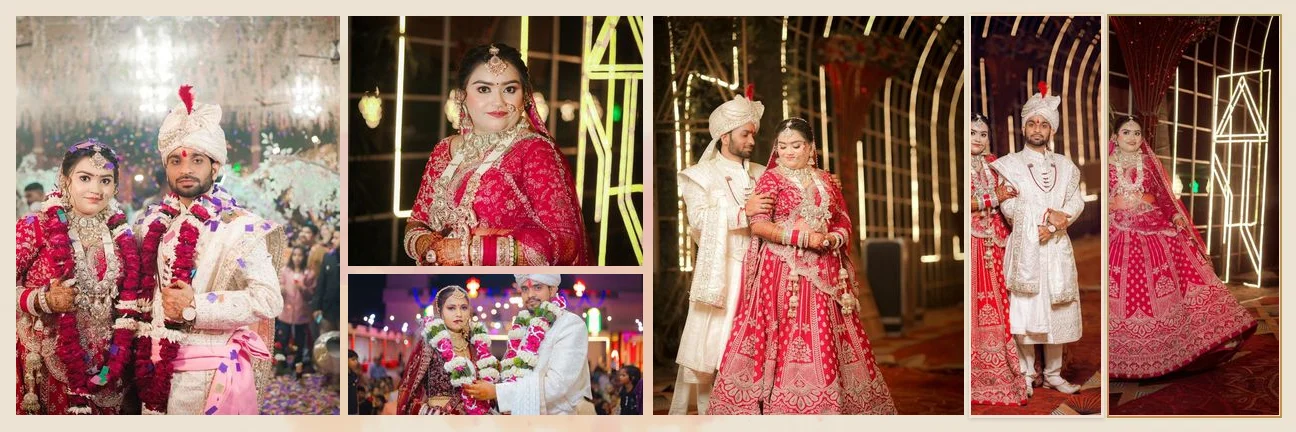
This is why a 12 × 36 design should never simply be scaled up to 14 × 40. Scaling either crops the edges or leaves bands of empty paper. In Smart Photo Selection, the library templates are laid out again for each size (only the eight fixed-layout Cinematics designs are scaled): margins and gaps are kept in inches and the slots are rearranged for the new ratio. The AI album generator also composes directly for whichever size you pick.
Resolution: what your photos need
Print resolution is about the photo in its slot, not the camera file on its own. A 24-megapixel camera file is about 6,000 × 4,000 px. Used as a full-height landscape photo on a 14 in page, its 4,000 px height prints at about 285 ppi; on a 12 in page, about 333 ppi. Both are fine for most labs. The trouble starts with heavy crops: crop that same file to a tight portrait and you may only have 2,000 px of height left, which falls to around 143 ppi at 14 in.
- Small frames need far fewer pixels than full-height ones, so most photos on a dense spread are not resolution-critical.
- Hero photos and exposure areas are large; give them your sharpest, least-cropped files.
- Older or phone photos in a family section are often the limiting factor on 14 × 40.
Which clients and shoots suit each size
Choose 12 × 36 when
- You want a well-known, widely offered size that most labs and album makers print.
- The album is long, with many spreads; a lighter, more compact book is easier to handle.
- The photo set is mostly landscape, or you like wide, cinematic rows.
Choose 14 × 40 when
- The client wants a larger, more premium-feeling book for the main wedding album.
- The set has many portraits: bridal portraits, couple portraits and family groups benefit from the height.
- You plan dense spreads (8 to 10 photos) and still want each photo to be readable.
- Your photos are full-resolution files from a recent camera, with few heavy crops.
Many studios offer both: 14 × 40 for the main album and 12 × 36 (or a smaller size) for parents' copies. If you do, design the main album first, then start a new album at the second size from the same selection rather than resizing finished sheets.
Printing and binding considerations
Size changes more than the file. Ask your lab about the points below before you commit to a size in your packages:
- Bleed and trim: the margin they cut off at each edge, and whether they want it added to the file or already included.
- Gutter behaviour: lay-flat books lose very little at the fold, traditional bindings lose more. See bleed, safe area and the centre fold.
- Resolution and format: most labs accept 300 DPI JPG files; some accept lower resolutions for large sizes. Read JPG, PNG, TIFF or PSD for albums.
- Colour profile: which profile they expect, and whether they convert files themselves.
- Paper and weight: thicker pages on a larger size make a heavier book, which affects handling and shipping.
Custom sizes
Some labs offer sizes such as 12 × 30, 12 × 24 or 10 × 30 in. Smart Photo Selection's editor has presets for several of these and accepts any width, height and DPI. Library templates are laid out for custom sizes too, with a warning when the ratio is far from what the designs are made for (below 1.2 : 1 a sheet is treated as a single page with no fold; above 4 : 1 it may need manual adjustment).
Whichever size you choose, the design process is the same. For a complete overview of the workflow, from selection to export, read AI wedding album design: the complete guide.
album sizes12x3614x40print resolution
Frequently Asked Questions
Is 12 × 36 the size of one page?
No. Album sizes are usually quoted per spread. A 12 × 36 album has 12 × 18 in pages; a 14 × 40 album has 14 × 20 in pages.
Can I convert a finished 12 × 36 album to 14 × 40?
Not by scaling, because the ratios differ. Start a new album at 14 × 40 from the same photos; library templates and AI layouts are composed natively for the new size.
Do I need a better camera for 14 × 40?
Not usually. Recent full-frame and APS-C files have enough pixels for full-height photos at 14 × 40. Heavy crops and old or phone photos are what fall below 200 ppi.
Which size is more popular?
Both are common for wedding albums, particularly in India. Ask your lab which sizes they print and what clients in your area usually order.
Related Articles
- Bleed, Safe Area and the Centre Fold in Wedding AlbumsWhat bleed, trim, safe area and the centre fold mean for wedding album spreads, how binding affects the gutter, and how to keep faces and text safe.
- How Many Photos per Wedding Album Spread?Choosing how many photos to put on each wedding album spread: density, pacing, hero images, page splits like 3 + 4, and when fewer photos tell more.
- JPG vs PNG vs TIFF vs PSD: Which File Format for Wedding Albums?Which file format to send your album lab: JPG, PNG, TIFF or PSD compared on quality, size, layers and colour profiles, and what Smart Photo Selection exports today.
Step-by-Step Guides
- How to Design a 12 × 36 Wedding AlbumSet up a 12x36 wedding album at the right DPI, pick templates that suit the 3:1 spread, keep faces off the fold and export 10,800 × 3,600 px sheets.
- How to Design a 14 × 40 Wedding AlbumCreate a 14x40 wedding album in Smart Photo Selection: 12,000 × 4,200 px at 300 DPI, photo resolution checks, layouts that use the extra height, and fold-safe export.
- How to Prepare a Wedding Album for PrintA print checklist for Smart Photo Selection: resolution and DPI, low-ppi warnings, centre fold, trim and safe area guides, bleed, sRGB colour and what to ask your album lab.
Related Features
Design Your Next Album in Smart Photo Selection
Generate spreads from a booking's photos, refine them in the layer-based editor and export print-ready files.